Hello Docusaurus
2023-05-31
找了许多博客和文档框架, hexo, vuepres之类, 最后还是选中了docusaurus.
console.log('好记性不如烂笔头');
Docusaurus Showcase
一开始是因为vuepress无法支持markdown在代码文件夹中的绝对路径, 看了docusaurus的markdown依赖代码发现比较容易修改. 后来又看到了docusaurus的showcase网站, 直接打开了新世界的大门. 原来这么多炫酷的网站都是docusaurus支撑的, 对应还有github托管代码. 虽然不少都需要编写 react 和 css 才能实现, 但怎么实现至少有了路径.
这些竟然都是docusaurus支持的, 终于找到了主流的实现路径.
https://docusaurus.io/showcase
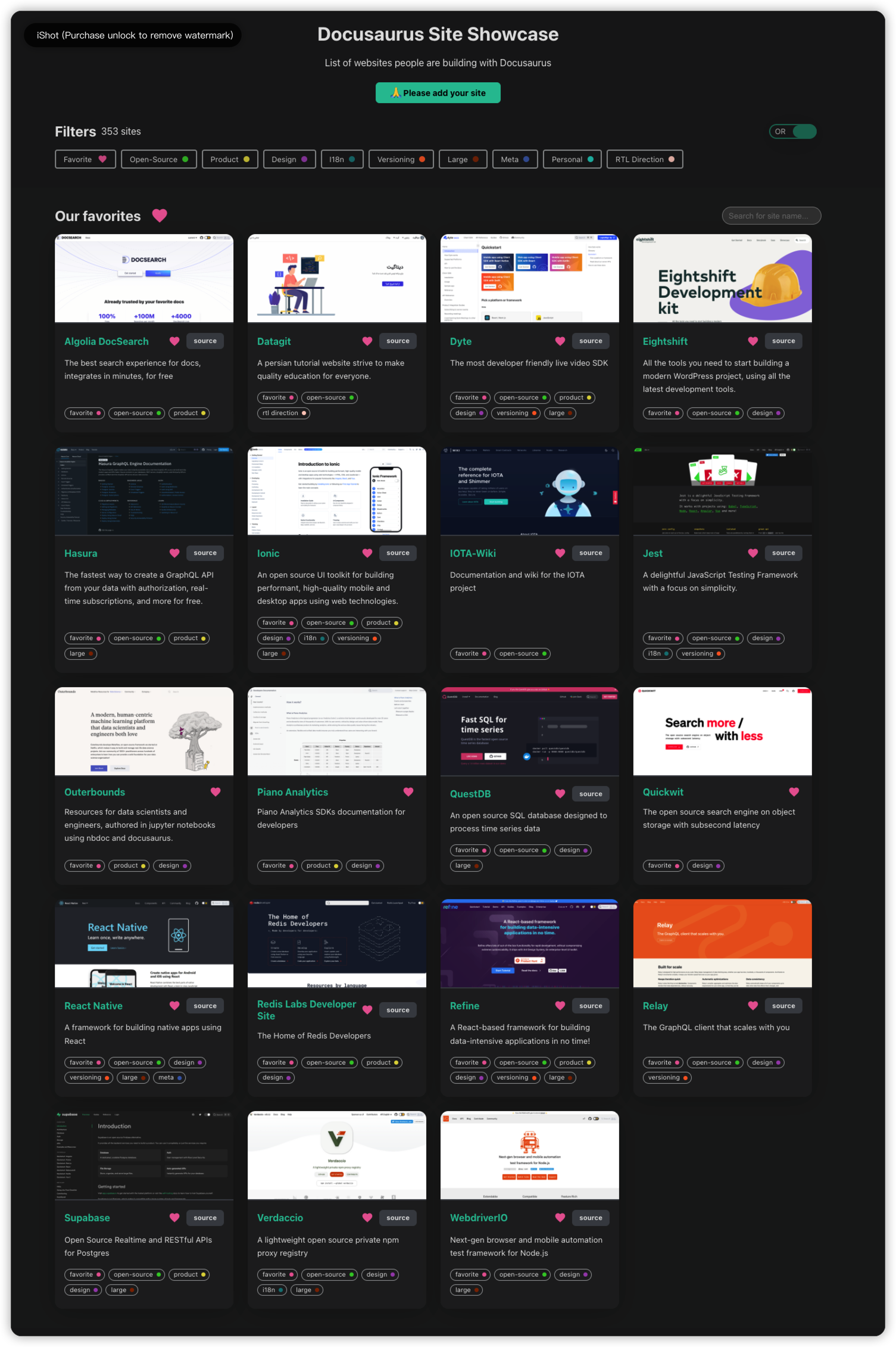
- 主要参考学习的
dyte.io网站
github源码: https://github.com/dyte-in/docs

markdown 图片支持绝对路径
markdown 使用本地图片的话, 要么使用相对地址, 要么使用绝对路径地址(图片地址里有/前缀). 但是vuepress和docusaurus这类文档站点, 解析绝对路径地址的时候, 使用的都是额外的static文件夹作为前缀. 导致在站点显示正常, 但是在vscode进行文件编辑则无法顺利查看图片.
这是当时选型文档站点技术纠结最久的问题, 想要实现vscode编辑查看, 作为日常文档使用, 同时支持对外发布.
略懂一些 js 代码, 就拥有了魔改的可能性, 跟着报错信息找到了使用的依赖, 然后发现还比较容易改动.
patch-package 支持 markdown 图片绝对路径
主要是让markdown image的查询路径支持从项目folder的根路径进行查询, 而不是从站点的static文件夹开始查询.
/xx/projects/playground/doctest/node_modules/@docusaurus/mdx-loader/lib/remark/transformImage/index.js
async function getImageAbsolutePath(imagePath, { siteDir, filePath, staticDirs }) {
    if (imagePath.startsWith('@site/')) {
        const imageFilePath = path_1.default.join(siteDir, imagePath.replace('@site/', ''));
        await ensureImageFileExist(imageFilePath, filePath);
        return imageFilePath;
    }
    else if (path_1.default.isAbsolute(imagePath)) {
        // Absolute paths are expected to exist in the static folder.
        const possiblePaths = staticDirs.map((dir) => path_1.default.join(dir, imagePath));
        possiblePaths.push(path_1.default.join(siteDir, imagePath));
        console.log('search path: ' + possiblePaths);
        const imageFilePath = await (0, utils_1.findAsyncSequential)(possiblePaths, fs_extra_1.default.pathExists);
        if (!imageFilePath) {
            throw new Error(`Image ${possiblePaths
                .map((p) => (0, utils_1.toMessageRelativeFilePath)(p))
                .join(' or ')} used in ${(0, utils_1.toMessageRelativeFilePath)(filePath)} not found.`);
        }
        return imageFilePath;
    }
    // Relative paths are resolved against the source file's folder.
    const imageFilePath = path_1.default.join(path_1.default.dirname(filePath), decodeURIComponent(imagePath));
    await ensureImageFileExist(imageFilePath, filePath);
    return imageFilePath;
}
Config Tips
如何支持本地文章跳转
使用相对路径, 使用slug的url地址, 就能够支持拥有相同的url前缀.
比如下面的例子,slug地址是 patch-package-patch-markdown-image-absolute-path, 本文章地址是domain.com/doc/abc, 跳转后就会是domain.com/doc/patch-package-patch-markdown-image-absolute-path. 如果使用/前缀, 则跳转地址会是domain.com/patch-package-patch-markdown-image-absolute-path
如果使用绝对路径, 并且尝试自行拼接前缀, 以后可能就会出现修改站点前缀配置后, 存量文章大规模错乱的问题, 这是纠结症患者难以接受的.
[patch-package 支持 markdown 图片绝对路径](patch-package-patch-markdown-image-absolute-path)
slug 链接无视文件夹结构
slug配置文章的url地址, 使用/绝对模式生成的链接可以忽略文件夹结构, 没有前缀则是使用gee.cool/folderA/slug的格式.
使用绝对模式的好处是可以随时换文件夹位置, 链接保持不变. 对于在不停摸索整理的纠结患者来说, 对内提供了修改整理的自由度, 对外又能优雅的无感知. markdown图片也是如此, 使用根文件夹的绝对路径, 可以随时挪动整理markdown文件, 而不用关注附带的图片.
https://stackoverflow.com/questions/74960889/docusaurus-hide-always-folders-name-in-url
We can add a slug option at the top of each file, example:
---
id: File2
title: File 2
slug: /file2
---
默认开启黑暗模式
https://docusaurus.io/docs/api/themes/configuration#color-mode---dark-mode
module.exports = {
  themeConfig: {
    colorMode: {
      defaultMode: 'dark',
      disableSwitch: false,
      respectPrefersColorScheme: false,
    },
  },
};
支持侧边栏手动关闭
https://docusaurus.io/docs/sidebar
module.exports = {
  themeConfig: {
    docs: {
      sidebar: {
        hideable: true,
      },
    },
  },
};
出现报错 Identifier 'React' has already been declared
猜测原因是同一个 markdown 文档, 被两个doc-plugin进行识别扫描, 估计是重复处理了吧.
一个路径对应一个文档, 一个文档只被一个doc-plugin扫描, 然后问题就解决了.
ERROR in ./geedocs/bigdata/flink/flink-questions.md
Module build failed (from ./node_modules/babel-loader/lib/index.js):
SyntaxError: /projects/muddy/geedocs/bigdata/flink/flink-questions.md: Identifier 'React' has already been declared. (60:182)