Docker tips
普通用户免sudo操作docker
其实就是把普通用户加到docker的linux group里去.
How can I use Docker without sudo?
https://askubuntu.com/questions/477551/how-can-i-use-docker-without-sudo
Add the docker group if it doesn't already exist:
sudo groupadd docker
Add the connected user "$USER" to the docker group. Change the user name to match your preferred user if you do not want to use your current user:
sudo gpasswd -a $USER docker
Either do a newgrp docker or log out/in to activate the changes to groups.
You can use
docker run hello-world
to check if you can run Docker without sudo.
国内docker加速
没有使用docker镜像加速, 直接下载docker镜像速度非常缓慢, 与用境外服务器开发简直两个概念.
docker run -it --rm bitnami/kafka:latest kafka-topics.sh --list  --bootstrap-server kafka.gee.cool:9094
Unable to find image 'bitnami/kafka:latest' locally
docker: Error response from daemon: Get "https://registry-1.docker.io/v2/bitnami/kafka/manifests/sha256:b13906de404b74b1aad576352f6af05042484b6f45e022ad59b29dbcecb26388": net/http: TLS handshake timeout.
See 'docker run --help'.
使用国内docker镜像加速, 速度起飞.
使用腾讯云 Docker 镜像源加速镜像下载
https://cloud.tencent.com/document/product/1207/45596
执行以下命令,打开 /etc/docker/daemon.json 配置文件。
vim /etc/docker/daemon.json
1.2 按 i 切换至编辑模式,添加以下内容,并保存。
{
   "registry-mirrors": [
   "https://mirror.ccs.tencentyun.com"
  ]
}
1.3 执行以下命令,重启 Docker 即可。示例命令以 CentOS 7 为例。
sudo systemctl restart docker
挂载本地文件
2023-06-03
个人体会: 尽量挂载文件所在的文件夹, 而不是某个具体的文件.
因为挂载文件的话, 宿主机的修改并不会直接生效, 一般需要重启容器才行. 挂载文件夹的话, 在宿主机里修改文件, 或是容器里修改文件, 两边都能够直接生效.另外首次启动应用, 宿主机的文件如果依赖于容器里的自动生成, 经常也会出现挂载为文件夹的混乱.
咨询chatgpt, 说是可以使用watch属性配置监控文件变更, 但没尝试出来, 放弃摸索了.
提前创建需要挂载的文件夹, 也能减少不少问题.
root方式运行non-root docker
https://docs.bitnami.com/tutorials/work-with-non-root-containers/
If you wish to run a Bitnami non-root container image as a root container image, you can do so by adding the line
user: root
right after the image: directive in the container's docker-compose.yml. After making this change, simply restart the container and it will run as the root user with all privileges instead of an unprivileged user.
docker 启动用户
docker-compose可以在容器启动的环境变量里设置启动的用户信息, 接下来在宿主机中可以看到是该用户在运行相关的docker业务进程.
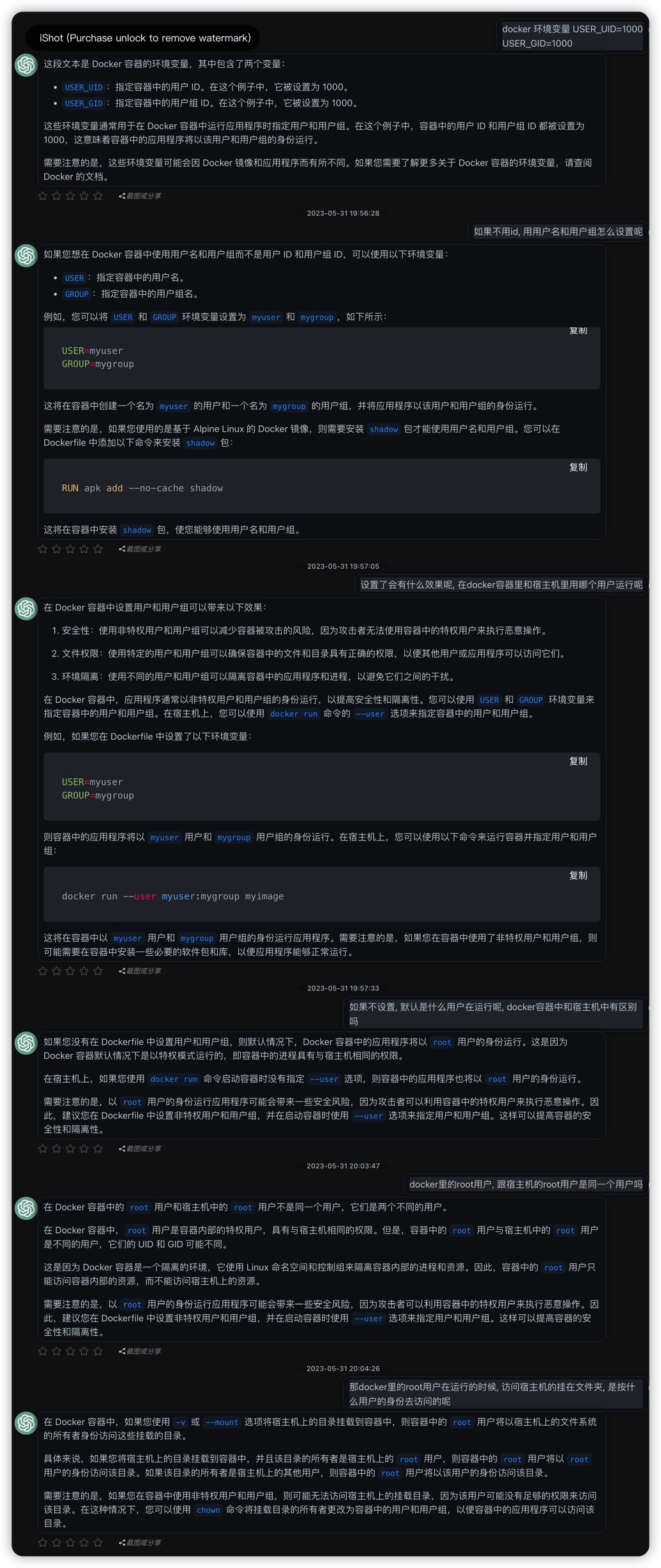
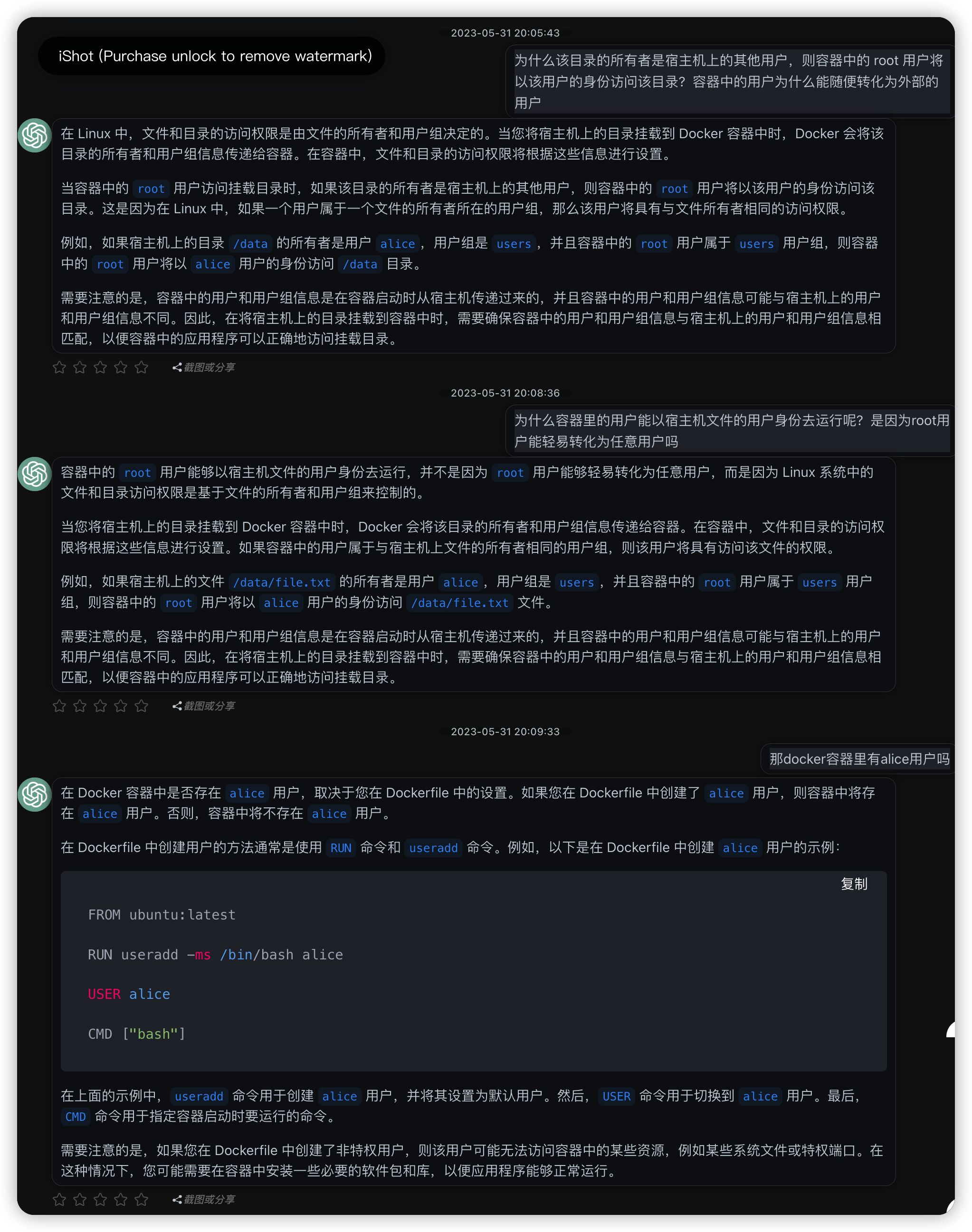
用chatgpt可以快速解释清楚一些基础概念, 并且对一些存量的配置也能够直接给出解释, 程序员琐碎的世界变得轻松了许多. 但是如果对一些细节的概念想要知道真正的原理, 有时候就非常困难了, 一是自己也不了解, 并不知道该如何正确询问; 其次有些东西比较复杂, 大家都是靠大量阅读研究自行消化, 网络上的文字很少, 这种情况chatgpt就很难直接给出答案了. 比如我反复询问也不知道docker里的用户和宿主机上的用户之间是什么关系, 访问文件夹的时候在容器里和宿主机中是什么身份去访问. chatgpt仍然能够侃侃而谈, 但是文字的误差太多了, 对于一个不了解的信息很难知道是对是错, 需要从技术原理上确切的来了解, 这种chatgpt就爱莫能助了.
docker 无法停止某个container
几个命令都无法停止某个docker容器, 完全卡住了
docker rm xxx
docker rm -f xxx
docker kill xxx
解决方法只能是重启docker服务, 然后搞定.
sudo systemctl restart docker
Can’t stop or kill a container
https://forums.docker.com/t/cant-stop-or-kill-a-container/127160