maven-tips
maven 编译命令
Maven只打包某个子模块 -pl -am
mvn -U clean package -pl target-task-module -am -DskipTests=true
ChatGPT answer:
这是一个Maven命令,用于构建 target-task-module 模块的Java工程,并在构建前强制从远程仓库拉取最新的依赖。该命令的参数含义如下:
-U:强制从远程仓库更新依赖。clean:在构建之前,先清理之前构建的目录或文件。package:打包构建应用程序,生成.jar或.war文件。-pl target-task-module:构建指定模块(target-task-module)。-am:构建被依赖的模块。-DskipTests=true:跳过测试,不执行测试用例。
该命令会执行项目的编译、打包构建和跳过测试等操作,生成可执行的Jar或War文件,以及相应的依赖文件。这个命令常用于在开发环境中快速构建项目并跳过测试阶段,便于快速调试和开发。
Question: -am:构建被依赖的模块 什么意思
-am参数是Maven中的一个构建参数,全称为--also-make。它的作用是和-pl参数配合使用,表示构建指定模块的同时,也构建其依赖的模块,即“同时也构建依赖的模块”。
在Maven中,每个模块都有其依赖的模块,这些依赖模块通常需要先被构建才能正确地构建当前模块。如果在构建当前模块时忽略了它的依赖模块,会导致构建失败。使用-am参数可以解决这个问题,它会在构建当前模块的同时顺便构建其依赖的模块。
在该命令中,使用了-pl参数指定了要构建的模块为target-task-module,使用-am参数表示同时也构建其依赖的模块,确保在构建当前模块前,它所依赖的所有模块都已经构建完成。

mvn -rf 从中断处启动编译
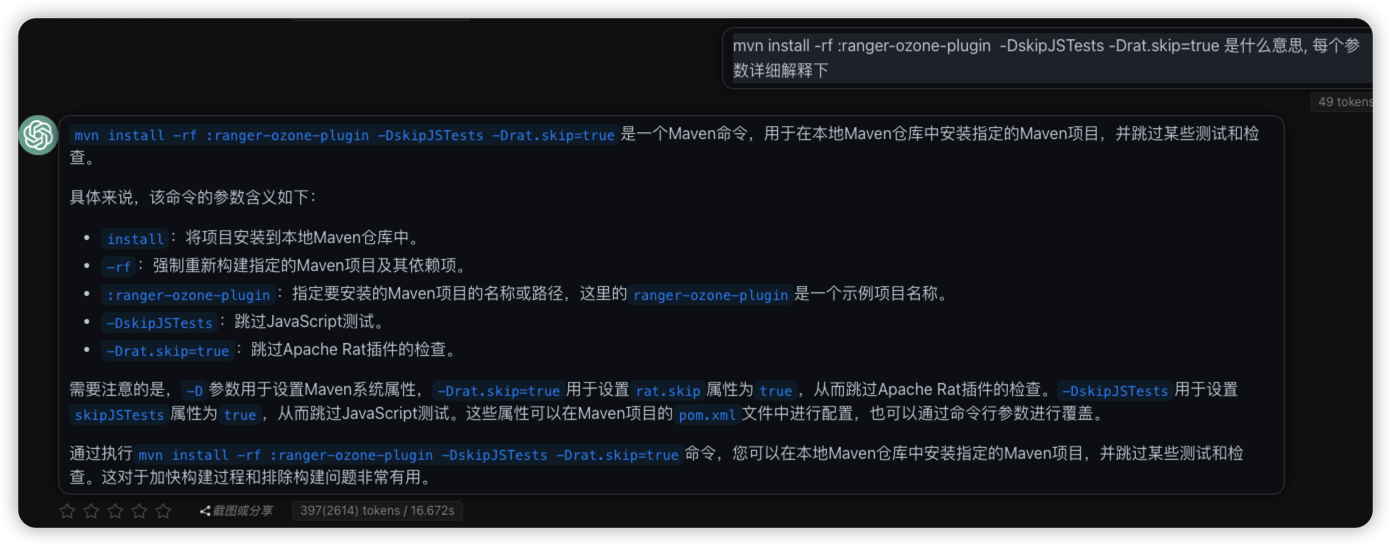
mvn <args> -rf :submodule 可以重新启动编译, 从失败的submodule开始,已经编译通过的则不会重复.
比如ranger编译耗时超长, 经常出现问题, 每次解决后重新编译执行的命令如下, 其中ranger-ozone-plugin仅为ranger中的一个submodule.
mvn install -rf :ranger-ozone-plugin -DskipJSTests -Drat.skip=true
maven test
mvn test 只测试某个类某个方法
# 测试整个类, LdapTest
mvn test -Dtest=LdapTest

# 测试某个类的某个方法, LdapTest的函数searchUser
mvn test -Dtest=LdapTest#searchUser

# 多个子模块, 只测试某个子模块里的方法
mvn test -pl security-admin  -Dtest=TestXUserREST#test99deleteUsersByUserName
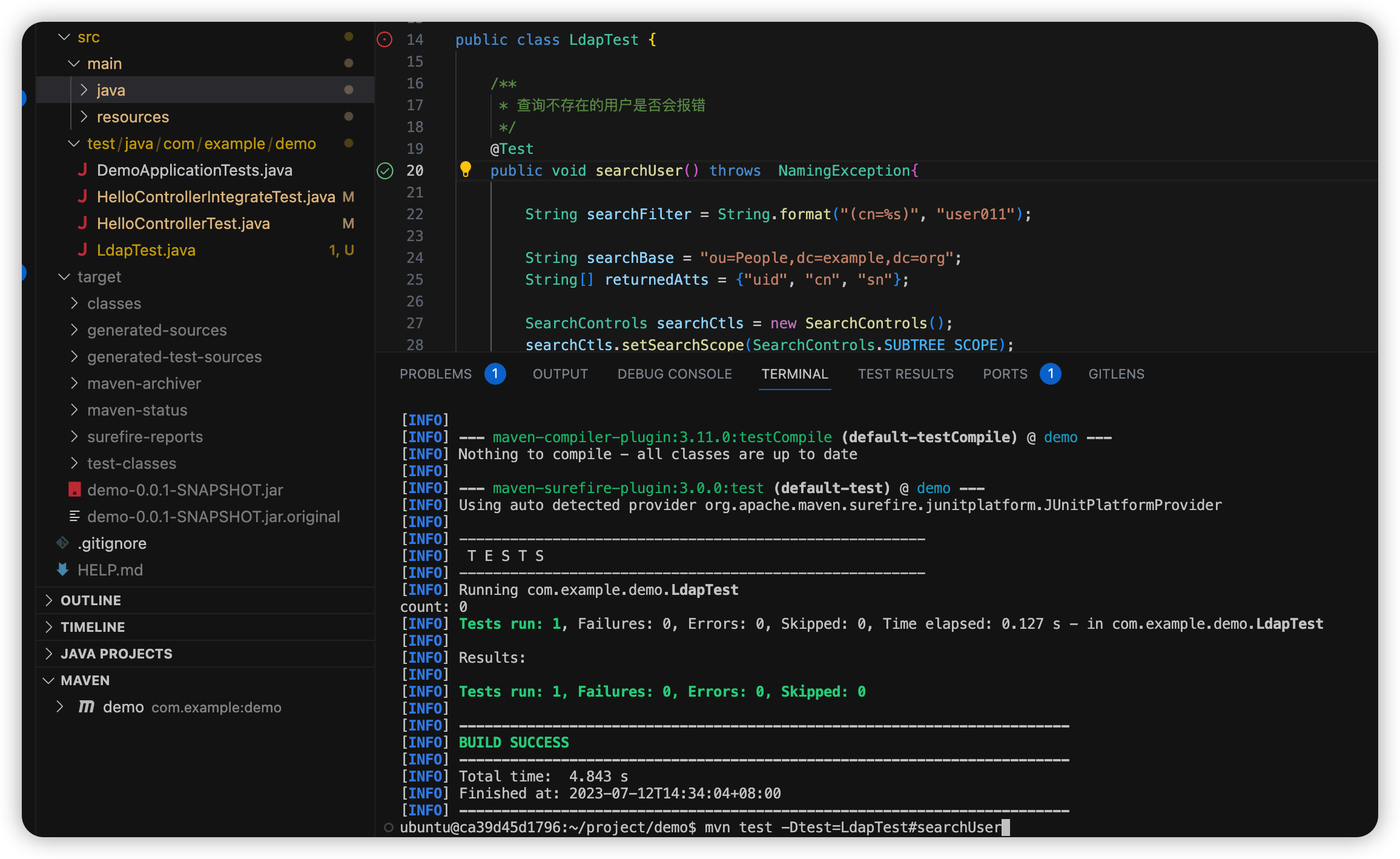
冒出个念头, 直接问下chatgpt就汇总搞定了, 然后执行测试下就稳了.
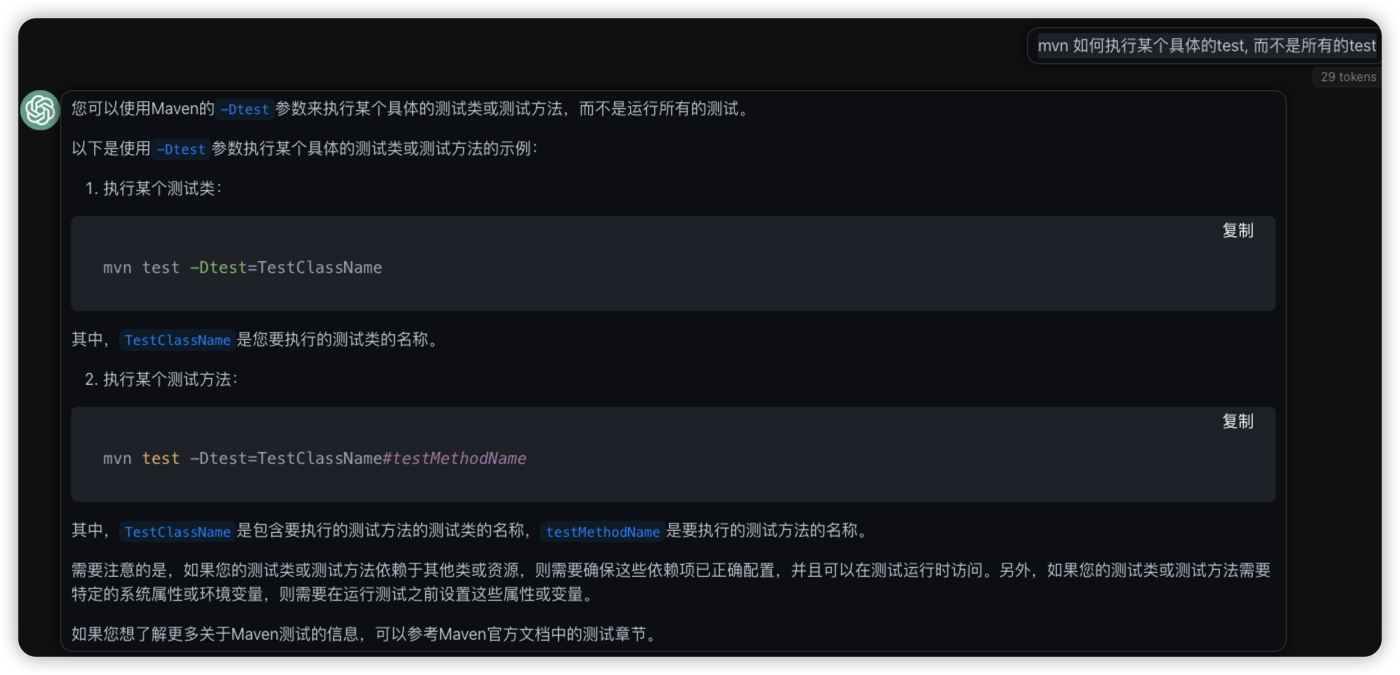

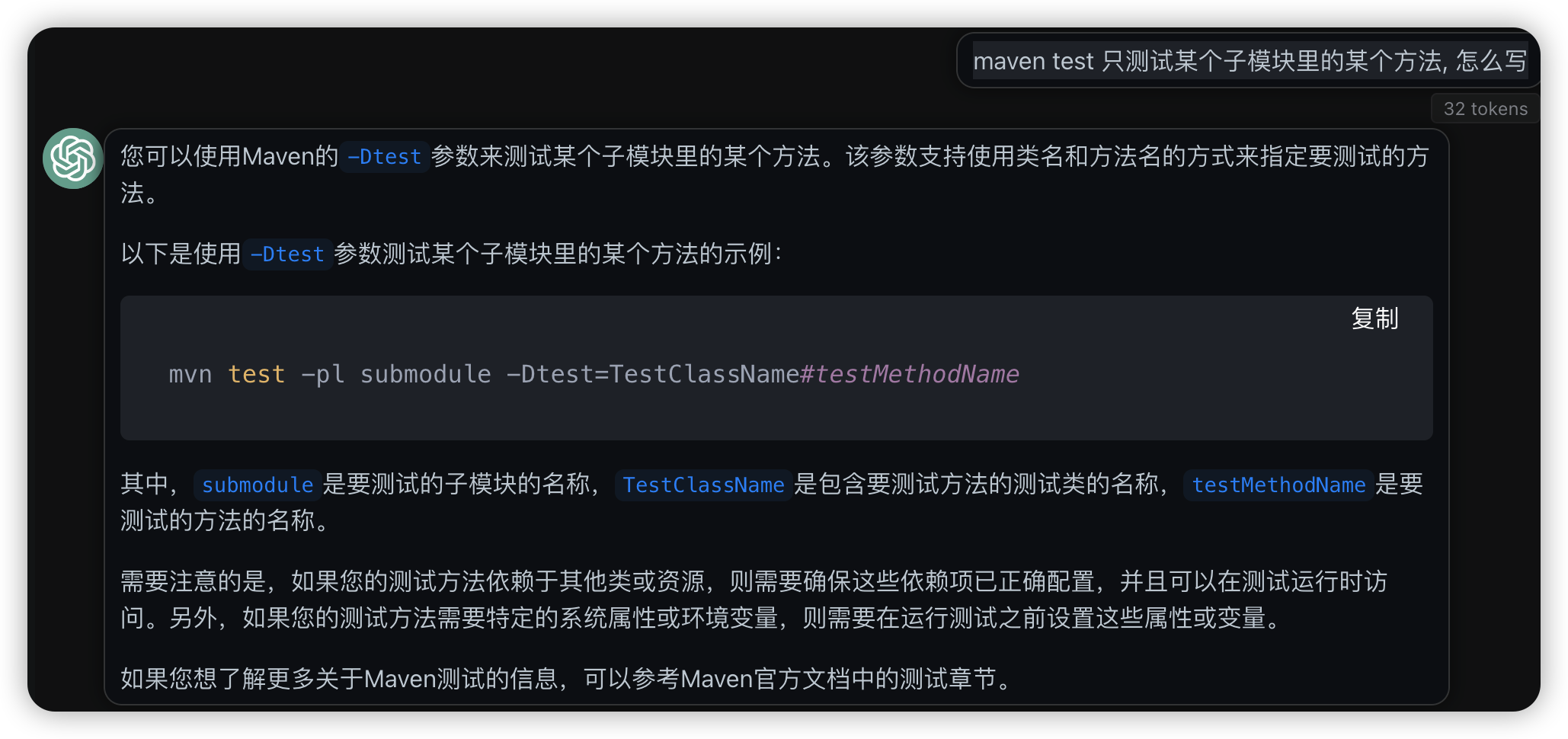
比如直接用java test的插件测试某个方法会报错, 这时候直接用命令行的方式就能直接看出报错在哪里
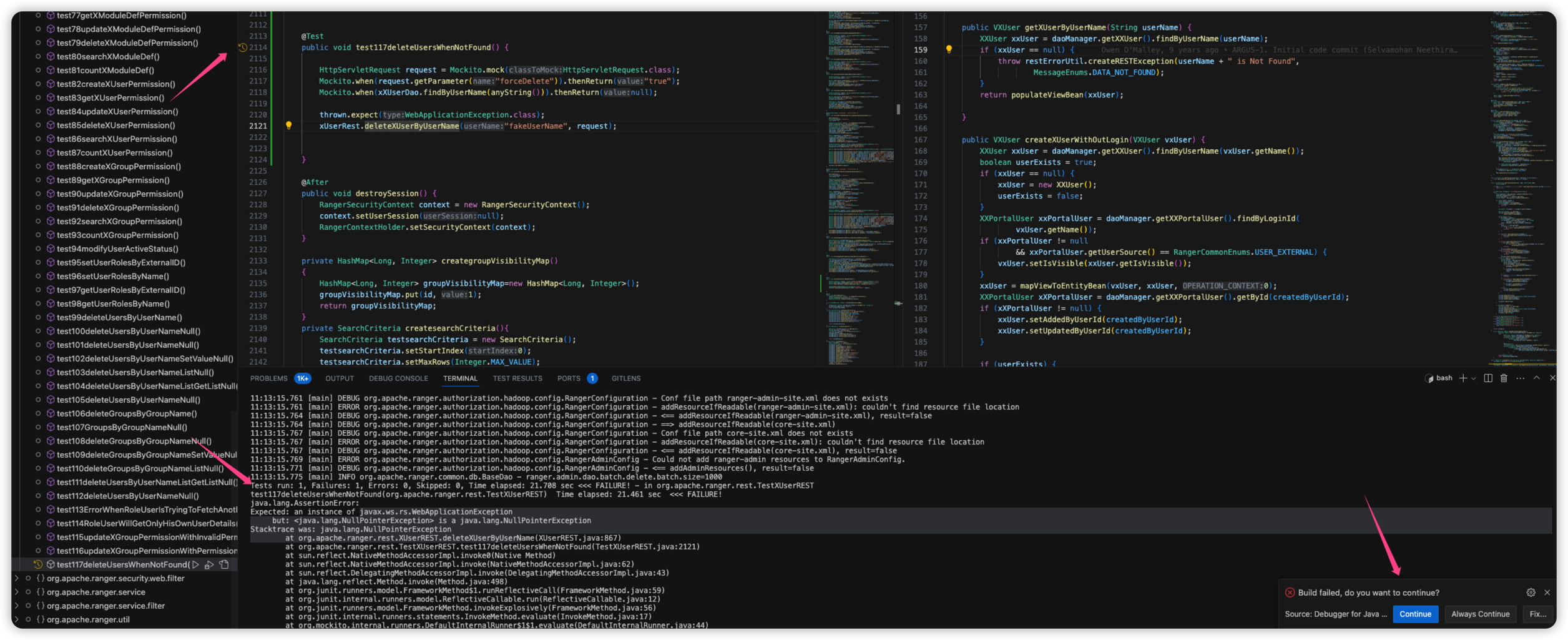
子模块相关
查找子模块的时候, 看起来是用文件夹名称, 而不是子模块的真是名称
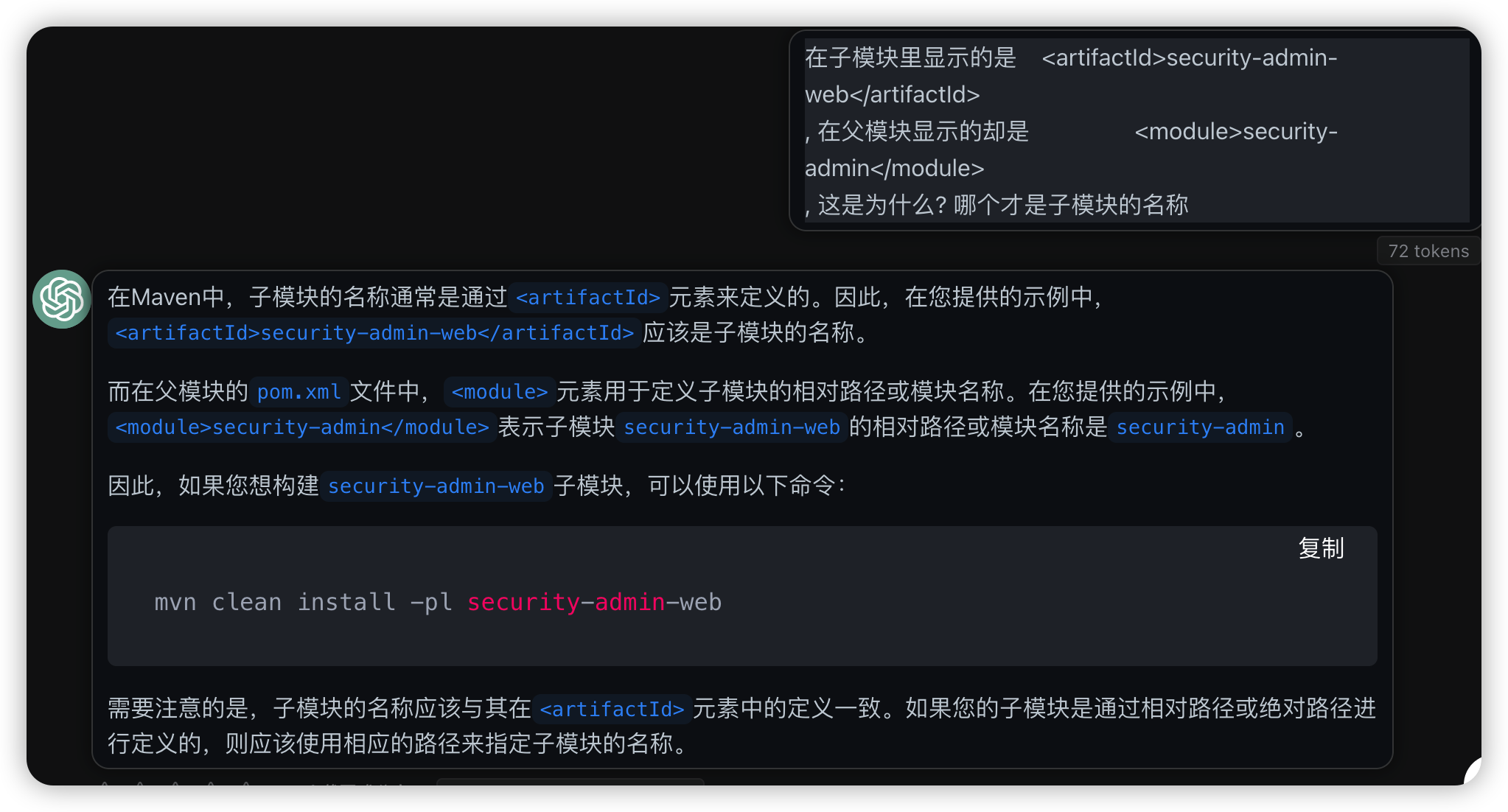
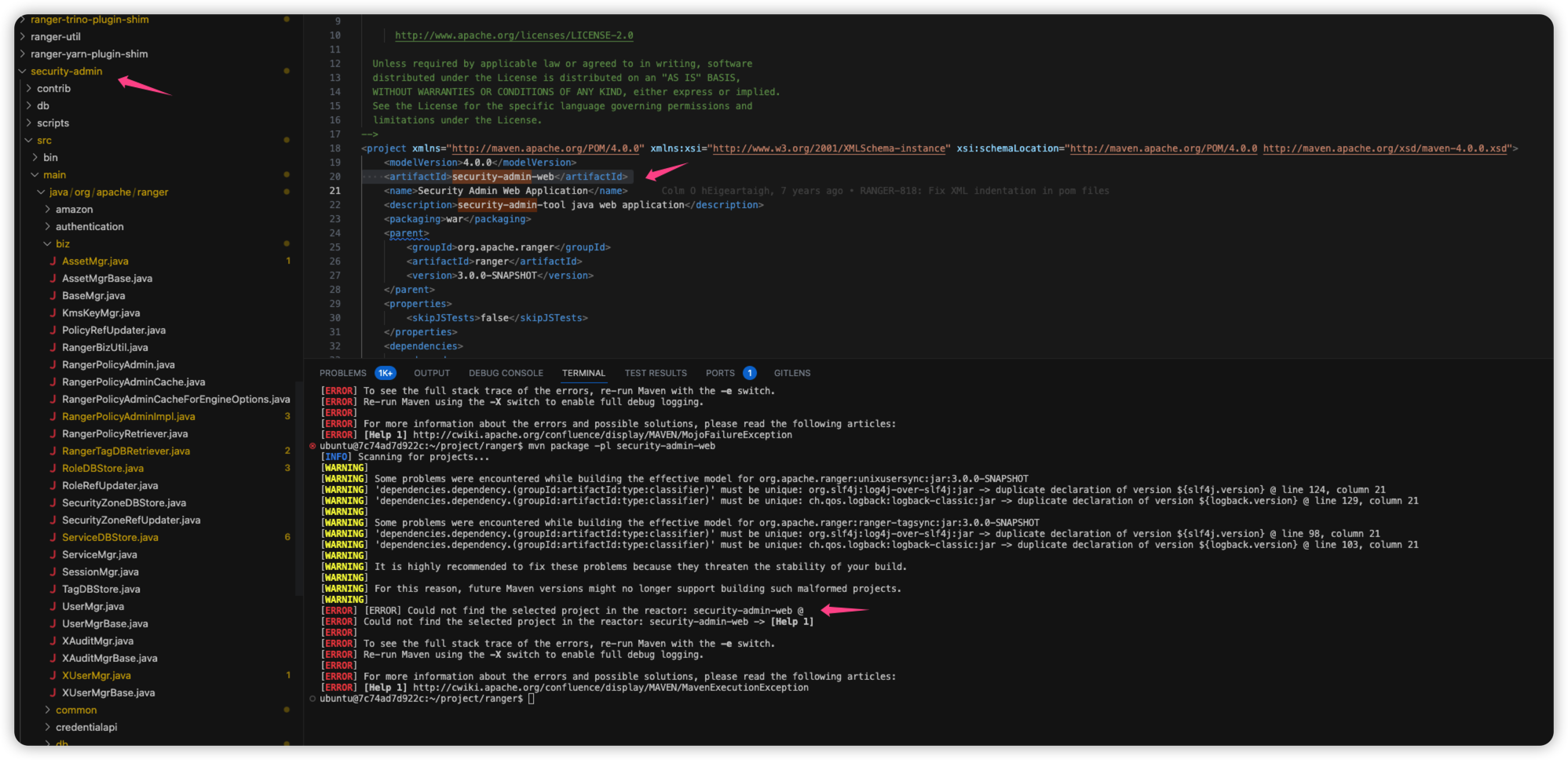
使用子模块里的pom id, 无法查找到测试用例
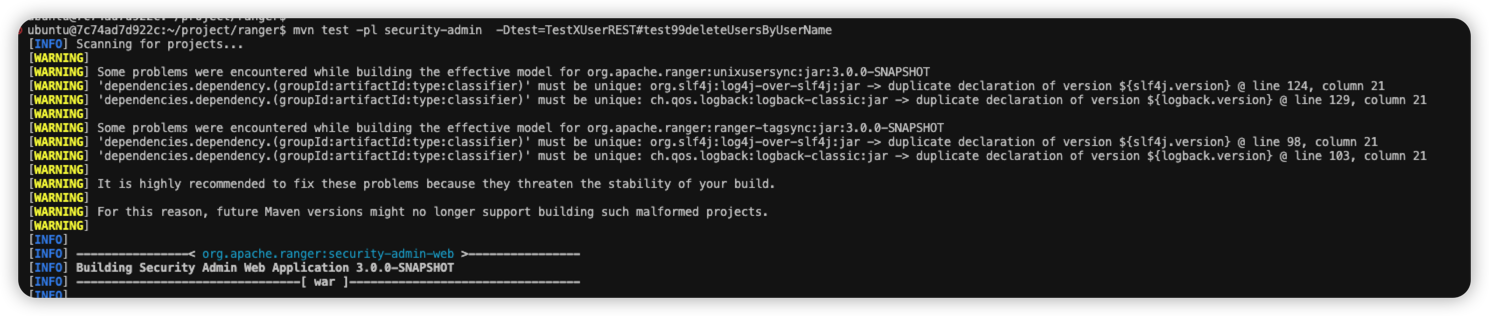
使用子模块的folder文件夹名称, 可以查找到测试用例进行执行

maven tips
maven 默认系统配置位置
刚安装 maven后, 在~/.m2/文件夹里是没有settings.xml文件的, 默认使用的是全局配置文件, 配置在${maven.home}/conf/settings.xml. 个人配置需要在.m2文件夹里手动创建.
执行mvn -v命令, 可以找到maven hom的位置
mvn -v

Apache Maven 3.6.3 (cecedd343002696d0abb50b32b541b8a6ba2883f)
Maven home: /home/ubuntu/.sdkman/candidates/maven/current
Java version: 17.0.7, vendor: Tencent, runtime: /home/ubuntu/.sdkman/candidates/java/17.0.7-kona
Default locale: en_US, platform encoding: UTF-8
OS name: "linux", version: "5.15.0-72-generic", arch: "amd64", family: "unix"
https://maven.apache.org/settings.html
There are two locations where a settings.xml file may live:
- The Maven install:
${maven.home}/conf/settings.xml - A user's install:
${user.home}/.m2/settings.xml
The former settings.xml are also called global settings, the latter settings.xml are referred to as user settings. If both files exists, their contents gets merged, with the user-specific settings.xml being dominant.
Here is an overview of the top elements under settings:
<settings xmlns="http://maven.apache.org/SETTINGS/1.0.0" xmlns:xsi="http://www.w3.org/2001/XMLSchema-instance"
  xsi:schemaLocation="http://maven.apache.org/SETTINGS/1.0.0 https://maven.apache.org/xsd/settings-1.0.0.xsd">
  <localRepository/>
  <interactiveMode/>
  <offline/>
  <pluginGroups/>
  <servers/>
  <mirrors/>
  <proxies/>
  <profiles/>
  <activeProfiles/>
</settings>
The contents of the settings.xml can be interpolated using the following expressions:
${user.home}and all other system properties (since Maven 3.0)${env.HOME}etc. for environment variables
国内环境配置maven加速
在settings.xml的mirrors部分, 插入腾讯云/阿里云的maven镜像即可.
<mirror>
     <id>nexus-tencentyun</id>
     <mirrorOf>*</mirrorOf>
     <name>Nexus tencentyun</name>
     <url>http://mirrors.cloud.tencent.com/nexus/repository/maven-public/</url>
 </mirror>
参考:
https://segmentfault.com/a/1190000022529672
https://developer.aliyun.com/mvn/guide
maven 版本竟然会影响到编译
2023-06-18
maven3.9版本在编译的时候, 竟然会报错 Failed to execute goal on project, Could not resolve dependencies, 降级为 maven 3.6.3 版本后竟然就解决了. 主要问题估计还是因为代码里用的还是java1.8版本, 在配置vscode的时候也很麻烦了.
[INFO] BUILD FAILURE
[INFO] ------------------------------------------------------------------------
[INFO] Total time:  2.877 s
[INFO] Finished at: 2023-06-17T23:48:53+08:00
[INFO] ------------------------------------------------------------------------
[WARNING]
[WARNING] Plugin validation issues were detected in 4 plugin(s)
[WARNING]
[WARNING]  * org.jacoco:jacoco-maven-plugin:0.8.5
[WARNING]  * org.apache.maven.plugins:maven-compiler-plugin:3.6.1
[WARNING]  * org.apache.maven.plugins:maven-surefire-plugin:2.19.1
[WARNING]  * org.apache.maven.plugins:maven-resources-plugin:3.3.0
[WARNING]
[WARNING] For more or less details, use 'maven.plugin.validation' property with one of the values (case insensitive): [BRIEF, DEFAULT, VERBOSE]
[WARNING]
[ERROR] Failed to execute goal on project unified-data-security-api: Could not resolve dependencies for project com.tencent.example:unified-data-security-api:jar:2.0.0-SNAPSHOT: Failed to collect dependencies at com.tencent.texample:common-lib:jar:1.0.1-SNAPSHOT -> texample:cas-client-texample:jar:2.4.3: Failed to read artifact descriptor for texample:cas-client-texample:jar:2.4.3: The following artifacts could not be resolved: texample:cas-client-texample:pom:2.4.3 (present, but unavailable): Could not transfer artifact texample:cas-client-texample:pom:2.4.3 from/to maven-default-http-blocker (http://0.0.0.0/): Blocked mirror for repositories: [texample-public (http://texamplerepo.oa.com/repository/maven-public/, default, releases+snapshots), texample (http://texamplerepo.oa.com/repository/texample/, default, releases+snapshots)] -> [Help 1]
[ERROR]
[ERROR] To see the full stack trace of the errors, re-run Maven with the -e switch.
[ERROR] Re-run Maven using the -X switch to enable full debug logging.
[ERROR]
[ERROR] For more information about the errors and possible solutions, please read the following articles:
[ERROR] [Help 1] http://cwiki.apache.org/confluence/display/MAVEN/DependencyResolutionException
[ERROR]
[ERROR] After correcting the problems, you can resume the build with the command
[ERROR]   mvn <args> -rf :unified-data-security-api
使用sdkman安装maven3.6.3版本, 再次编译就没有报错了.
➜  example-security git:(release-example2.3.0.1-tcs) ✗ mvn -v
Apache Maven 3.9.2 (c9616018c7a021c1c39be70fb2843d6f5f9b8a1c)
Maven home: /root/.sdkman/candidates/maven/current
Java version: 1.8.0_302, vendor: Oracle Corporation, runtime: /root/.sdkman/candidates/java/8.0.302-open/jre
Default locale: en, platform encoding: UTF-8
OS name: "linux", version: "4.14.105-1-tlinux3-0020", arch: "amd64", family: "unix"
➜  example-security git:(release-example2.3.0.1-tcs) ✗ sdk list maven
➜  example-security git:(release-example2.3.0.1-tcs) ✗ sdk install maven 3.6.3