Springboot 杂七杂八的测试
2023-06-27
新手观点速递
Spring 的历史太过悠久, 有着非常多兼容的代码和使用方法, 正常开发者掌握表面光鲜的 Springboot 常用用法就行, 去了解历史的 Spring 会发现一片混乱. 同样的 SpringBoot 测试方法也是五花八门, 不同时期有非常多不同框架不同版本组合的测试方法, 新人非常容易在各种 @annotation 注解组合里迷失, 根本不知道什么才是正确的测试方法. 功能没有正交性, 组合实在太多了. 有的注解可能压根不需要, 但放上去也没什么报错. 有时候看到一些业务代码里有使用单侧, 但因为知道公司里的业务代码水平有多烂, 根本就不敢相信这就是正确用法.
在某大厂里搬砖, 几个团队里就没见过什么是单元测试. 一切都是草台班子, 时间紧急, 代码一把梭, 快速完成需求就行, 哪管它线上 bug 洪水滔天. 花了大半天时间去看各种 Springboot 测试文档, 终于从一脸懵逼开始勉强入门, 一知半解了. 总结起来就一个经验, 看看基本的官方文档, 看看优秀的开源代码里是如何写单元测试的, 需要写测试的时候借鉴着使用就行了, 其他杂七杂八的搭配, 没什么必要一开始就去了解.
因为有很多不清楚的概念, 调研后也只有一个大概, 还是没法去向其他人清晰培训. 这种只能用最佳实践来说话了, 先用起来再说...
官方文档
优秀的官方文档, 主要用来理清一些基础概念, 还有新时代的正确用法.
一直都在看杂七杂八的博客文档搜索, 不知道原来还有官方文档, 可以减少很多似是而非的用法.
docs.spring.io Testing
https://docs.spring.io/spring-boot/docs/current/reference/html/features.html#features.testing
常用工具
常用的工具需要了解下:
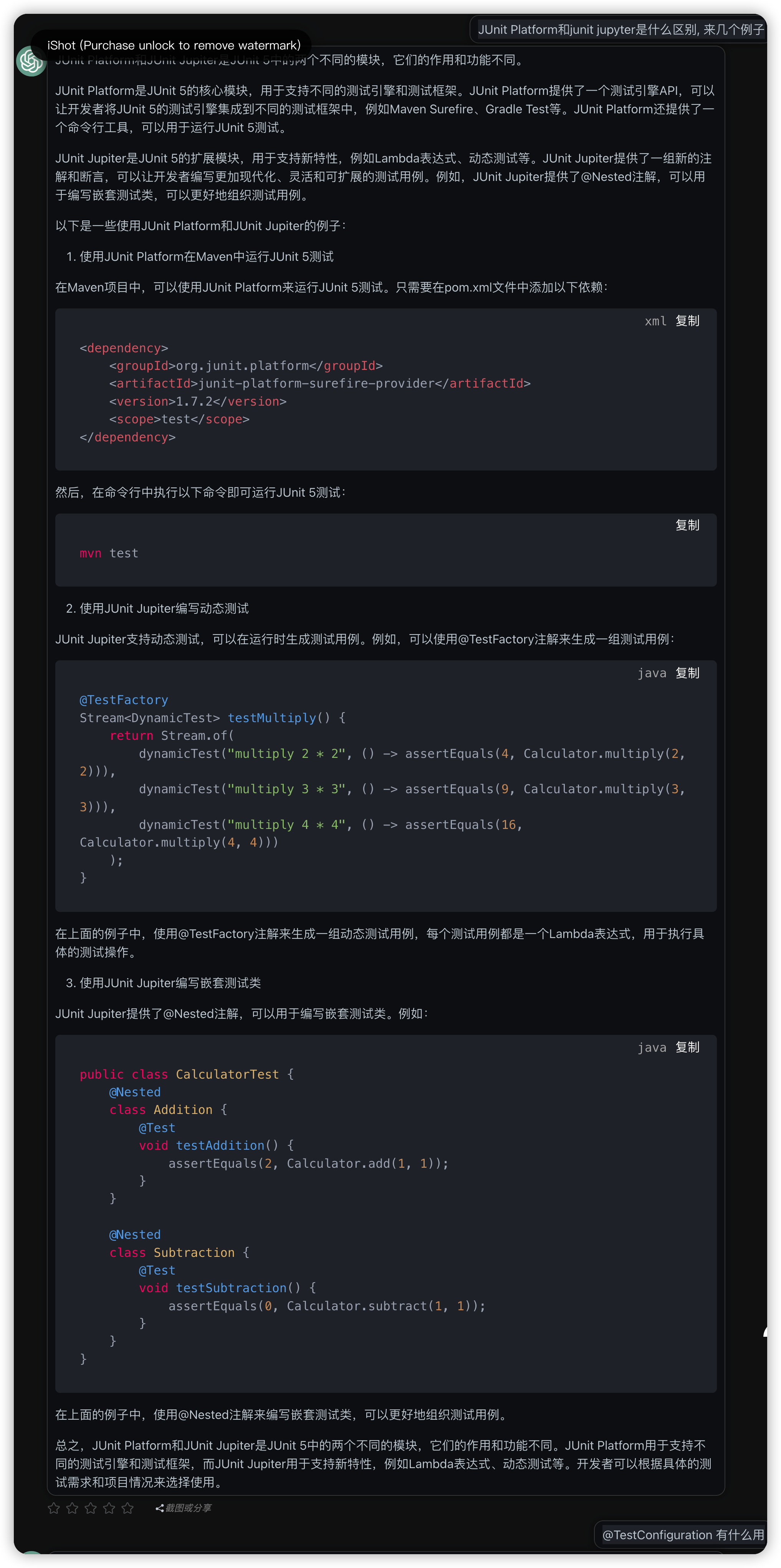
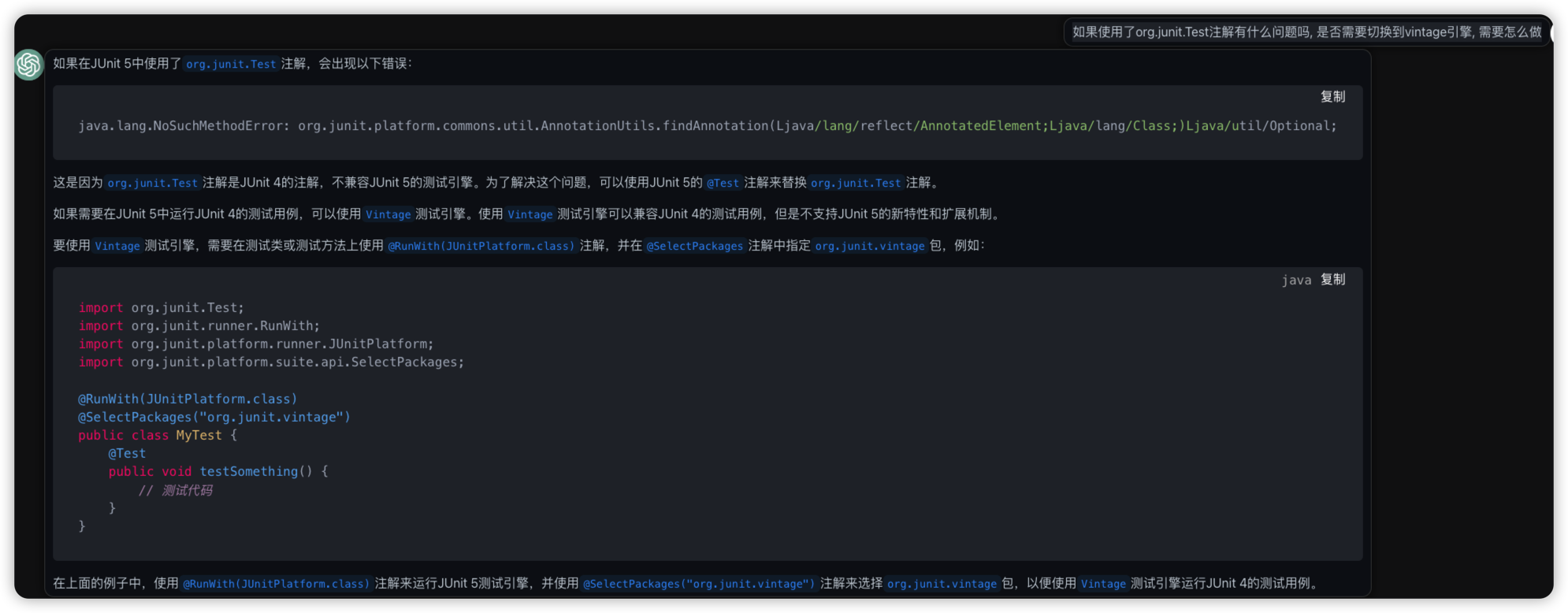
- junit, 有junit4和junit5两个版本, 新时代都建议使用junit5了. junit5有jupyter, platform, vintage三个子引擎. 其中platform提供基础用法, jupyter提供一些新特性的用法, vintage用于支持junit4存在的用例.
- mockito, 用于模拟各种服务, 摆脱对上游服务和中间件的依赖. 比如某个数据库查询返回, 比如某个类的调用方法, 都可以直接设置输入和输出, 然后后面调用中用到这个类的时候, 相同输入都会有相同的输出.
- springboottest自己的一些特殊工具, 比如mockMvc用于模拟http请求, 但不需要启动整个springboot服务; testRestTemplate需要启动整个springboot服务, 然后启动http进行请求.
单元测试与集成测试
springboot的测试有两种, 单元测试和集成测试.
有个新手误解, 以为在springboot里写测试就都需要使用
@springboottest和@RunWith(SpringRunner.class)的注解. 这些springboot的注解会启动一整个spring的服务, 用于提供上下文context, 等同于在新的一套环境里启动整个服务. 一般都需要提供依赖的数据库等中间件, 资源消耗可想而知, 速度也非常慢. 这些测试一般称为集成测试. 要搭建专门的上下游环境非常麻烦, 更多时候是难以持续维护. 因为过了几个月几个迭代之后, 原来的测试环境资源就没有了, 这些有用的测试代码也就被扔到角落里去了.其实测试可以只使用junit的
@Test, 只测试部分关键代码的行为. 如果依赖上下游, 可以使用mockito模拟上下游依赖, 快速实现测试的目的. 如果确实要使用到spring的context, 也可以只选择某些bean. 大多数的测试都应该是单元测试, 少量才会启动整个springboot进行集成测试.
总而言之, 尽量使用资源消耗低的测试方式, 快速的完成大量的基础测试, 然后再逐渐增加依赖, 测试整体的性能.
测试原则 F.I.R.S.T
有个单元测试的原则, F.I.R.S.T. principles:
https://www.appsdeveloperblog.com/the-first-principle-in-unit-testing/
- F - Fast
- I - Independent
- R - Repeatable
- S - Self-Validating
- T - Thorough or Timely
官方文档摘录
囫囵吐槽看了一遍, 还需要结合实际测试才能加深理解. 目前存在的疑问:
- test configuration 是个什么, 怎么配置?
- 如何摘选需要的beans?
- 什么时候会启动多大规模的spring context, 如何进行控制
docs.spring.io Testing
https://docs.spring.io/spring-boot/docs/current/reference/html/features.html#features.testing
Spring Boot provides a number of utilities and annotations to help when testing your application. Test support is provided by two modules: spring-boot-test contains core items, and spring-boot-test-autoconfigure supports auto-configuration for tests.
Test Scope Dependencies
spring-boot-starter-test 依赖里提供的常用框架, 就不要自己瞎摸索了.
The spring-boot-starter-test “Starter” (in the test scope) contains the following provided libraries:
- JUnit 5: The de-facto standard for unit testing Java applications.
- Spring Test & Spring Boot Test: Utilities and integration test support for Spring Boot applications.
- AssertJ: A fluent assertion library.
- Hamcrest: A library of matcher objects (also known as constraints or predicates).
- Mockito: A Java mocking framework.
- JSONassert: An assertion library for JSON.
- JsonPath: XPath for JSON.
历史代码如果是 junit4的话, 可以使用junit5的vintage engine进行兼容
<dependency>
    <groupId>org.junit.vintage</groupId>
    <artifactId>junit-vintage-engine</artifactId>
    <scope>test</scope>
    <exclusions>
        <exclusion>
            <groupId>org.hamcrest</groupId>
            <artifactId>hamcrest-core</artifactId>
        </exclusion>
    </exclusions>
</dependency>
使用 Spring ApplicationContext, 其实就是在执行 integeration test了.
Often, you need to move beyond unit testing and start integration testing (with a Spring ApplicationContext). It is useful to be able to perform integration testing without requiring deployment of your application or needing to connect to other infrastructure.
又一个历史问题, 使用 junit5的话, 直接使用 springboottest就可以了, 不再需要使用 @RunWith(SpringRunner.class) 和 @ExtendWith(SpringExtension.class).
If you are using JUnit 4, do not forget to also add @RunWith(SpringRunner.class) to your test, otherwise the annotations will be ignored. If you are using JUnit 5, there is no need to add the equivalent @ExtendWith(SpringExtension.class) as @SpringBootTest and the other @…Test annotations are already annotated with it.
@SpringBootTest 虽然开启了集成测试, 但默认并不会启动一个 web server. 如果设置了RANDOM_PORT属性, 则会启动一个真实web环境, 比如@SpringBootTest(webEnvironment = SpringBootTest.WebEnvironment.RANDOM_PORT)
很神奇,
@SpringBootTest设置了RANDOM_PORT才会真实启动一个web环境
By default, @SpringBootTest will not start a server. You can use the webEnvironment attribute of @SpringBootTest to further refine how your tests run:
MOCK(Default) : Loads a web ApplicationContext and provides a mock web environment. Embedded servers are not started when using this annotation. If a web environment is not available on your classpath, this mode transparently falls back to creating a regular non-web ApplicationContext. It can be used in conjunction with @AutoConfigureMockMvc or @AutoConfigureWebTestClient for mock-based testing of your web application.RANDOM_PORT: Loads a WebServerApplicationContext and provides a real web environment. Embedded servers are started and listen on a random port.DEFINED_PORT: Loads a WebServerApplicationContext and provides a real web environment. Embedded servers are started and listen on a defined port (from your application.properties) or on the default port of 8080.NONE: Loads an ApplicationContext by using SpringApplication but does not provide any web environment (mock or otherwise).
@Transactional测试, 每个执行的测试都会在结束后还原数据库事务.
If your test is @Transactional, it rolls back the transaction at the end of each test method by default. However, as using this arrangement with either RANDOM_PORT or DEFINED_PORT implicitly provides a real servlet environment, the HTTP client and server run in separate threads and, thus, in separate transactions. Any transaction initiated on the server does not roll back in this case.
Testing Spring Boot Applications
TestConfiguration
@SpringBootTest会自动搜索启动类, 因此一般并不需要再额外在参数里注明classes=, 用于备注启动类.
If you are familiar with the Spring Test Framework, you may be used to using @ContextConfiguration(classes=…) in order to specify which Spring @Configuration to load. Alternatively, you might have often used nested @Configuration classes within your test.
When testing Spring Boot applications, this is often not required. Spring Boot’s @*Test annotations search for your primary configuration automatically whenever you do not explicitly define one.
The search algorithm works up from the package that contains the test until it finds a class annotated with @SpringBootApplication or @SpringBootConfiguration. As long as you structured your code in a sensible way, your main configuration is usually found.
默认搜索的是这种 springbootapplication启动类
@SpringBootApplication
public class MyApplication {

    public static void main(String[] args) {
        SpringApplication.run(MyApplication.class, args);
    }

}
不过对于
@TestConfiguration, 没有用过还是不太了解
If you want to customize the primary configuration, you can use a nested @TestConfiguration class. Unlike a nested @Configuration class, which would be used instead of your application’s primary configuration, a nested @TestConfiguration class is used in addition to your application’s primary configuration.
mockMvc 测试
8.3.6. Testing With a Mock Environment
By default, @SpringBootTest does not start the server but instead sets up a mock environment for testing web endpoints.
With Spring MVC, we can query our web endpoints using MockMvc or WebTestClient, as shown in the following example:
@SpringBootTest
@AutoConfigureMockMvc
class MyMockMvcTests {

    @Test
    void testWithMockMvc(@Autowired MockMvc mvc) throws Exception {
        mvc.perform(get("/")).andExpect(status().isOk()).andExpect(content().string("Hello World"));
    }

    // If Spring WebFlux is on the classpath, you can drive MVC tests with a WebTestClient
    @Test
    void testWithWebTestClient(@Autowired WebTestClient webClient) {
        webClient
                .get().uri("/")
                .exchange()
                .expectStatus().isOk()
                .expectBody(String.class).isEqualTo("Hello World");
    }

}
不启动完整的 spring application context, 可以建议使用@WebMvcTest.
If you want to focus only on the web layer and not start a complete ApplicationContext, consider using @WebMvcTest instead.
启动 server 进行测试
8.3.7. Testing With a Running Server
If you need to start a full running server, we recommend that you use random ports. If you use @SpringBootTest(webEnvironment=WebEnvironment.RANDOM_PORT), an available port is picked at random each time your test runs.
For convenience, tests that need to make REST calls to the started server can additionally @Autowire a WebTestClient, which resolves relative links to the running server and comes with a dedicated API for verifying responses, as shown in the following example:
@SpringBootTest(webEnvironment = WebEnvironment.RANDOM_PORT)
class MyRandomPortWebTestClientTests {

    @Test
    void exampleTest(@Autowired WebTestClient webClient) {
        webClient
            .get().uri("/")
            .exchange()
            .expectStatus().isOk()
            .expectBody(String.class).isEqualTo("Hello World");
    }

}
Mocking and Spying Beans
springboot 的 mocking beans, 其实用的就是 mockito 框架.
Spring Boot includes a @MockBean annotation that can be used to define a Mockito mock for a bean inside your ApplicationContext. You can use the annotation to add new beans or replace a single existing bean definition. The annotation can be used directly on test classes, on fields within your test, or on @Configuration classes and fields. When used on a field, the instance of the created mock is also injected. Mock beans are automatically reset after each test method.
这个例子里标记 RemoteService可以用于模拟, 然后在测试里配置了模拟行为 given(this.remoteService.getValue()).willReturn("spring");, 后面被其他模块调用的时候, 自动按照模拟的输入输出执行.
@SpringBootTest
class MyTests {

    @Autowired
    private Reverser reverser;

    @MockBean
    private RemoteService remoteService;

    @Test
    void exampleTest() {
        given(this.remoteService.getValue()).willReturn("spring");
        String reverse = this.reverser.getReverseValue(); // Calls injected RemoteService
        assertThat(reverse).isEqualTo("gnirps");
    }
}
webMvcTest
To test whether Spring MVC controllers are working as expected, use the @WebMvcTest annotation. @WebMvcTest auto-configures the Spring MVC infrastructure and limits scanned beans to @Controller, @ControllerAdvice, @JsonComponent, Converter, GenericConverter, Filter, HandlerInterceptor, WebMvcConfigurer, WebMvcRegistrations, and HandlerMethodArgumentResolver. Regular @Component and @ConfigurationProperties beans are not scanned when the @WebMvcTest annotation is used. @EnableConfigurationProperties can be used to include @ConfigurationProperties beans.
mockMvc测试, 一般只专注在某个controller上, 并且结合mockBeans使用, 可以减少需要启动的依赖.
Often, @WebMvcTest is limited to a single controller and is used in combination with @MockBean to provide mock implementations for required collaborators.
@WebMvcTest(UserVehicleController.class)
class MyControllerTests {

    @Autowired
    private MockMvc mvc;

    @MockBean
    private UserVehicleService userVehicleService;

    @Test
    void testExample() throws Exception {
        given(this.userVehicleService.getVehicleDetails("sboot"))
            .willReturn(new VehicleDetails("Honda", "Civic"));
        this.mvc.perform(get("/sboot/vehicle").accept(MediaType.TEXT_PLAIN))
            .andExpect(status().isOk())
            .andExpect(content().string("Honda Civic"));
    }

}
TestRestTemplate
原来TestRestTemplate是独立出来的一个测试功能.
TestRestTemplate is a convenience alternative to Spring’s RestTemplate that is useful in integration tests. You can get a vanilla template or one that sends Basic HTTP authentication (with a username and password). In either case, the template is fault tolerant. This means that it behaves in a test-friendly way by not throwing exceptions on 4xx and 5xx errors. Instead, such errors can be detected through the returned ResponseEntity and its status code.
可以随时插入TestRestTemplate到集成测试里调用进行测试
class MyTests {

    private final TestRestTemplate template = new TestRestTemplate();

    @Test
    void testRequest() {
        ResponseEntity<String> headers = this.template.getForEntity("https://myhost.example.com/example", String.class);
        assertThat(headers.getHeaders().getLocation()).hasHost("other.example.com");
    }

}
也可以在@SpringbootTest环境里, 自动设置关联的port和前缀信息.
Alternatively, if you use the @SpringBootTest annotation with WebEnvironment.RANDOM_PORT or WebEnvironment.DEFINED_PORT, you can inject a fully configured TestRestTemplate and start using it. If necessary, additional customizations can be applied through the RestTemplateBuilder bean. Any URLs that do not specify a host and port automatically connect to the embedded server, as shown in the following example:
@SpringBootTest(webEnvironment = WebEnvironment.RANDOM_PORT)
class MySpringBootTests {

    @Autowired
    private TestRestTemplate template;

    @Test
    void testRequest() {
        HttpHeaders headers = this.template.getForEntity("/example", String.class).getHeaders();
        assertThat(headers.getLocation()).hasHost("other.example.com");
    }

    @TestConfiguration(proxyBeanMethods = false)
    static class RestTemplateBuilderConfiguration {

        @Bean
        RestTemplateBuilder restTemplateBuilder() {
            return new RestTemplateBuilder().setConnectTimeout(Duration.ofSeconds(1))
                .setReadTimeout(Duration.ofSeconds(1));
        }

    }

}
测试容器 testContainer
集成测试里搭建真实环境太艰难了, 所以还有各种 testContainers, 方便启用各种中间件依赖容器进行测试.
The Testcontainers library provides a way to manage services running inside Docker containers. It integrates with JUnit, allowing you to write a test class that can start up a container before any of the tests run. Testcontainers is especially useful for writing integration tests that talk to a real backend service such as MySQL, MongoDB, Cassandra and others.
用法比如
@Testcontainers
@SpringBootTest
class MyIntegrationTests {

    @Container
    static Neo4jContainer<?> neo4j = new Neo4jContainer<>("neo4j:5");

    @Test
    void myTest() {
        // ...
    }

}
最佳实践文档
这篇文档不错, 简直想要全文摘录.
Best Practices for How to Test Spring Boot Applications
https://tanzu.vmware.com/developer/guides/spring-boot-testing/
For Spring Boot testing, it is best practice to utilize the F.I.R.S.T. principles. Therefore, the test must be fast, independent, repeatable, self-validating, and timely.
F.I.R.S.T. principles:
- F - Fast
- I - Independent
- R - Repeatable
- S - Self-Validating
- T - Timely
Isolate the functionality to be tested
尽量只使用最少的依赖, 引用最少的context, 比如只使用junit测试, 而不是把spring context都启动起来.
You can better isolate the functionality you want to test by limiting the context of loaded frameworks/components. Often, it is sufficient to use the JUnit unit testing framework. without loading any additional frameworks. To accomplish this, you only need to annotate your test with @Test.
import org.junit.Test;

import static org.junit.Assert.assertEquals;

public class MapRepositoryTest {

    private MapRepository mapRepository = new MapRepository();

    @Test
    public void shouldReturnJurisdictionForZip() {
        final String expectedJurisdiction = "NJ";
        assertEquals(expectedJurisdiction, mapRepository.findByZip("07677"));
    }
}
尽量使用 mockito, 减少上下游的依赖.
As a next step up in complexity, consider adding mock frameworks, like those generated by the Mockito mocking framework, if you have interactions with external resources. Using mock frameworks eliminates the need to access real instances of external resources.
import org.junit.Before;
import org.junit.Test;
import org.junit.runner.RunWith;
import org.mockito.Mock;
import org.mockito.runners.MockitoJUnitRunner;

import java.util.Date;

import static org.mockito.Matchers.any;
import static org.mockito.Mockito.times;
import static org.mockito.Mockito.verify;

@RunWith(MockitoJUnitRunner.class)
public class CarServiceTest {

    private CarService carService;

    @Mock
    private RateFinder rateFinder;

    @Before
    public void init() {
        carService = new CarService(rateFinder);
    }

    @Test
    public void shouldInteractWithRateFinderToFindBestRate() {
        carService.schedulePickup(new Date(), new Route());
        verify(rateFinder, times(1)).findBestRate(any(Route.class));
    }
}
Only load slices of functionality
@SpringBootTest Annotation
只启动部分功能切片进行测试
When testing spring boot applications, the @SpringBootTest annotation loads the whole application, but it is often better to limit the application context to just the set of Spring components that participate in the test scenario. This is accomplished by listing them in the annotation declaration.
import org.junit.Test;
import org.junit.runner.RunWith;
import org.springframework.beans.factory.annotation.Autowired;
import org.springframework.boot.test.context.SpringBootTest;
import org.springframework.test.context.junit4.SpringRunner;

import java.util.Date;

import static org.junit.Assert.assertTrue;

@RunWith(SpringRunner.class)
@SpringBootTest(classes = {MapRepository.class, CarService.class})
public class CarServiceWithRepoTest {

    @Autowired
    private CarService carService;

    @Test
    public void shouldReturnValidDateInTheFuture() {
        Date date = carService.schedulePickup(new Date(), new Route());
        assertTrue(date.getTime() > new Date().getTime());
    }
}
@DataJpaTest Annotation
Using @DataJpaTest only loads @Repository spring components, and will greatly improve performance by not loading @Service, @Controller, etc.
@RunWith(SpringRunner.class)
@DataJpaTest
public class MapTests {

    @Autowired
    private MapRepository repository;

    @Test
    public void findByUsernameShouldReturnUser() {
        final String expected = "NJ";
        String actual = repository.findByZip("07677")

        assertThat(expected).isEqualTo(actual);
    }
}
Running database-related tests
It is a good practice to mock the beans that are involved in database interactions, and turn off Spring Boot test db initialization for the Spring profile that tests run. You should strongly consider this when testing Controllers. Alternatively, you can try to declare your table creation DDL in schema.sql files as CREATE TABLE IF NOT EXISTS.
spring.datasource.initialize=false

spring.autoconfigure.exclude=org.springframework.boot.autoconfigure.orm.jpa.HibernateJpaAutoConfiguration,\
    org.springframework.boot.autoconfigure.jdbc.DataSourceAutoConfiguration,\
    org.springframework.boot.autoconfigure.jdbc.DataSourceTransactionManagerAutoConfiguration,\
    org.springframework.boot.autoconfigure.data.web.SpringDataWebAutoConfiguration
Test the web layer
使用@WebMvcTest去测试, 避免启动整个 web server.
Use @WebMvcTest to test REST APIs exposed through Controllers without the server part running. Only list Controllers that are being tested.
Note: It looks like Spring Beans used by a Controller need to be mocked.
@RunWith(SpringRunner.class)
@WebMvcTest(CarServiceController.class)
public class CarServiceControllerTests {

    @Autowired
    private MockMvc mvc;

    @MockBean
    private CarService carService;

    @Test
    public void getCarShouldReturnCarDetails() {
        given(this.carService.schedulePickup(new Date(), new Route());)
            .willReturn(new Date());

        this.mvc.perform(get("/schedulePickup")
            .accept(MediaType.JSON)
            .andExpect(status().isOk());
    }
}
Keep Learning
我就是看了这文章, 才去翻的springboot 官方test文档.
Many of the frameworks and other capabilities mentioned in this best practices guide are described in the Spring Boot testing documentation. This recent video on testing messaging in Spring describes the use of Spock, JUnit, Mockito, Spring Cloud Stream and Spring Cloud Contract.
其他不错的参考文档
How to test a controller in Spring Boot - a practical guide
https://thepracticaldeveloper.com/guide-spring-boot-controller-tests/
https://github.com/mechero/spring-boot-testing-strategies
对springboot 测试复杂现状的吐槽的非常合理
There are a few different approaches to testing available in Spring Boot. It’s a framework that’s constantly evolving, so more options arise in new versions at the same time that old ones are kept for the sake of backward compatibility. The result: multiple ways of testing the same part of our code, and some confusion about when to use what.
springboot的controller测试分为两个大类, MockMVC和RestTemplate. unit test 单元测试的话使用前者, integration test 集成测试的话使用后者. 看到有些在单元测试里使用 RestTemplate, 就感觉比较混乱.
If we zoom inside server-side tests, there are two main strategies we can identify in Spring: writing Controller tests using the MockMVC approach, or making use of RestTemplate. You should favor the first strategy (MockMVC) if you want to code a real Unit Test, whereas you should make use of RestTemplate if you intend to write an Integration Test. The reason is that, with MockMVC, we can fine-grain our assertions for the Controller. RestTemplate, on the other hand, will use the Spring’s WebApplicationContext (partly or fully, depends on using the Standalone mode or not).
文章把controller的测试分两种, inside-server 测试和outside server测试, 只有最后使用restTemplate了, 才算是outside server测试, 需要启动整个springboot context.
Strategy 1: Spring MockMVC example in Standalone Mode
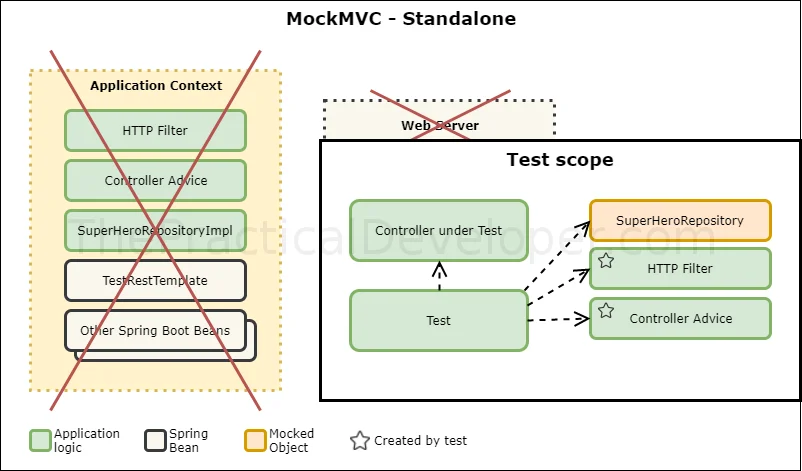
In Spring, you can write an inside-server test if you use MockMVC in standalone-mode, so you’re not loading a Spring context. Let’s see an example of this.
@ExtendWith(MockitoExtension.class)
public class SuperHeroControllerMockMvcStandaloneTest {

    private MockMvc mvc;

    @Mock
    private SuperHeroRepository superHeroRepository;

    @InjectMocks
    private SuperHeroController superHeroController;

    // This object will be magically initialized by the initFields method below.
    private JacksonTester<SuperHero> jsonSuperHero;

    @BeforeEach
    public void setup() {
        // We would need this line if we would not use the MockitoExtension
        // MockitoAnnotations.initMocks(this);
        // Here we can't use @AutoConfigureJsonTesters because there isn't a Spring context
        JacksonTester.initFields(this, new ObjectMapper());
        // MockMvc standalone approach
        mvc = MockMvcBuilders.standaloneSetup(superHeroController)
                .setControllerAdvice(new SuperHeroExceptionHandler())
                .addFilters(new SuperHeroFilter())
                .build();
    }

    @Test
    public void canRetrieveByIdWhenExists() throws Exception {
        // given
        given(superHeroRepository.getSuperHero(2))
                .willReturn(new SuperHero("Rob", "Mannon", "RobotMan"));

        // when
        MockHttpServletResponse response = mvc.perform(
                get("/superheroes/2")
                        .accept(MediaType.APPLICATION_JSON))
                .andReturn().getResponse();

        // then
        assertThat(response.getStatus()).isEqualTo(HttpStatus.OK.value());
        assertThat(response.getContentAsString()).isEqualTo(
                jsonSuperHero.write(new SuperHero("Rob", "Mannon", "RobotMan")).getJson()
        );
    }
Strategy 2: Spring MockMVC example with WebApplicationContext
The second strategy we can use to write Unit Tests for a Controller also involves MockMVC, but in this case we use a Spring’s WebApplicationContext. Since we’re still using an inside-server strategy, there is no web server deployed in this case though.
The most important difference of this approach is that we didn’t need to explicitly load the surrounding logic since there is a partial Spring context in place. If we create new filters, new controller advices, or any other logic participating in the request-response process, we will get them automatically injected in our test.
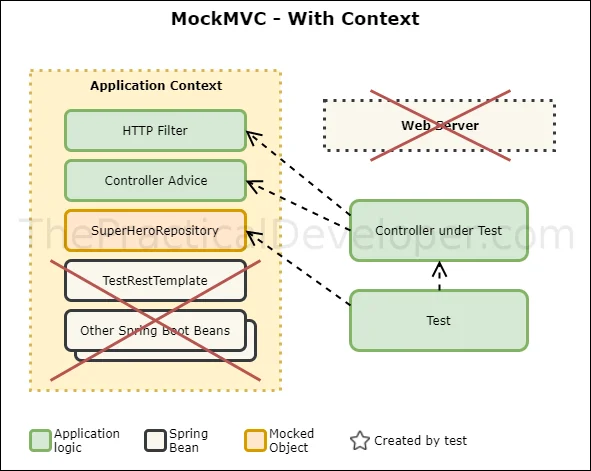
@AutoConfigureJsonTesters
@WebMvcTest(SuperHeroController.class)
public class SuperHeroControllerMockMvcWithContextTest {

    @Autowired
    private MockMvc mvc;

    @MockBean
    private SuperHeroRepository superHeroRepository;

    // This object will be initialized thanks to @AutoConfigureJsonTesters
    @Autowired
    private JacksonTester<SuperHero> jsonSuperHero;

    @Test
    public void canRetrieveByIdWhenExists() throws Exception {
        // given
        given(superHeroRepository.getSuperHero(2))
                .willReturn(new SuperHero("Rob", "Mannon", "RobotMan"));

        // when
        MockHttpServletResponse response = mvc.perform(
                get("/superheroes/2")
                        .accept(MediaType.APPLICATION_JSON))
                .andReturn().getResponse();

        // then
        assertThat(response.getStatus()).isEqualTo(HttpStatus.OK.value());
        assertThat(response.getContentAsString()).isEqualTo(
                jsonSuperHero.write(new SuperHero("Rob", "Mannon", "RobotMan")).getJson()
        );
    }

    // ...
    // Rest of the class omitted, it's the same implementation as in Standalone mode
}
Strategy 3: SpringBootTest example with a MOCK WebEnvironment value
这一步仍然是 inside-server test. 不过作者建议使用stragtegy2, 能拥有更多控制.
If you use @SpringBootTest without parameters, or with webEnvironment = WebEnvironment.MOCK, you don’t load a real HTTP server. Does it sound familiar? It’s a similar approach to the strategy 2 (MockMVC with an application context). When we use this configuration, we’re still coding an inside-server test.
In this setup, we can’t use a standard RestTemplate since we don’t have any web server. We need to keep using MockMVC, which now is getting configured thanks to the extra annotation @AutoconfigureMockMVC. This is the trickiest approach between all the available ones in my opinion, and I personally discourage using it. Instead, it’s better to choose the Strategy 2 with MockMVC and the context loaded for a specific controller. You’ll be more in control of what you’re testing.
@AutoConfigureJsonTesters
@SpringBootTest
@AutoConfigureMockMvc
public class SuperHeroControllerSpringBootMockTest {

    @Autowired
    private MockMvc mvc;

    @MockBean
    private SuperHeroRepository superHeroRepository;

    // This object will be initialized thanks to @AutoConfigureJsonTesters
    @Autowired
    private JacksonTester<SuperHero> jsonSuperHero;

    @Test
    public void canRetrieveByIdWhenExists() throws Exception {
        // given
        given(superHeroRepository.getSuperHero(2))
                .willReturn(new SuperHero("Rob", "Mannon", "RobotMan"));

        // when
        MockHttpServletResponse response = mvc.perform(
                get("/superheroes/2")
                        .accept(MediaType.APPLICATION_JSON))
                .andReturn().getResponse();

        // then
        assertThat(response.getStatus()).isEqualTo(HttpStatus.OK.value());
        assertThat(response.getContentAsString()).isEqualTo(
                jsonSuperHero.write(new SuperHero("Rob", "Mannon", "RobotMan")).getJson()
        );
    }

    // ...
    // Rest of the class omitted, it's the same implementation as before

}
Strategy 4: SpringBootTest example with a Real Web Server
When you use @SpringBootTest with WebEnvironment.RANDOM_PORT or WebEnvironment.DEFINED_PORT), you’re testing with a real HTTP server. In this case, you need to use a RestTemplate or TestRestTemplate to perform the requests.
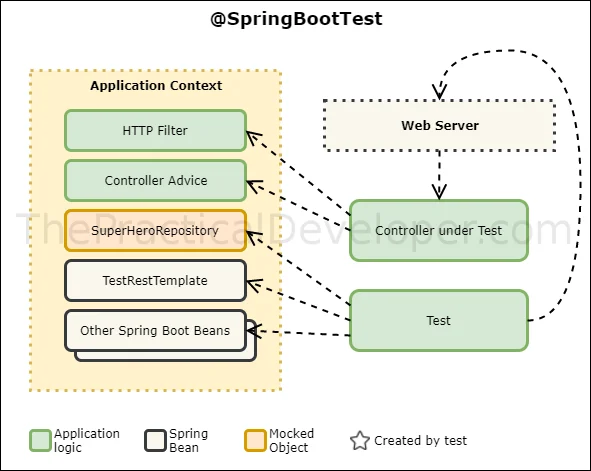
@SpringBootTest(webEnvironment = WebEnvironment.RANDOM_PORT)
public class SuperHeroControllerSpringBootTest {

    @MockBean
    private SuperHeroRepository superHeroRepository;

    @Autowired
    private TestRestTemplate restTemplate;

    @Test
    public void canRetrieveByIdWhenExists() {
        // given
        given(superHeroRepository.getSuperHero(2))
                .willReturn(new SuperHero("Rob", "Mannon", "RobotMan"));

        // when
        ResponseEntity<SuperHero> superHeroResponse = restTemplate.getForEntity("/superheroes/2", SuperHero.class);

        // then
        assertThat(superHeroResponse.getStatusCode()).isEqualTo(HttpStatus.OK);
        assertThat(superHeroResponse.getBody().equals(new SuperHero("Rob", "Mannon", "RobotMan")));
    }

    @Test
    public void canRetrieveByIdWhenDoesNotExist() {
        // given
        given(superHeroRepository.getSuperHero(2))
                .willThrow(new NonExistingHeroException());

        // when
        ResponseEntity<SuperHero> superHeroResponse = restTemplate.getForEntity("/superheroes/2", SuperHero.class);

        // then
        assertThat(superHeroResponse.getStatusCode()).isEqualTo(HttpStatus.NOT_FOUND);
        assertThat(superHeroResponse.getBody()).isNull();
    }
SpringBoot Test及注解详解
https://www.cnblogs.com/myitnews/p/12330297.html
http://ypk1226.com/2018/11/20/spring-boot/spring-boot-test-2/
Sprintboot程序的单元测试和集成测试建议
由于@SpringBootTest会完整的启动容器,建议在集成测试时考虑使用。
@SpringbootTest去找@SpringbootApplication,@SpringbootApplication注解又包含了SpringBootConfiguration注解。
如果你需要一个跟src/main下代码不一样的应用配置,考虑使用自定义springbootapplication启动类,放在src/test。
@SpringBootTest(classes = CustomApplication.class)
class CustomApplicationTest {
}
@TestPropertySource
指定测试用例要使用的配置,如果不同的测试用例有不同的测试配置,那么可以使用这个注解把配置加载到ApplicationContext中。 例如:
@TestPropertySource("classpath:application.properties")
@ContextConfiguration
加载配置类。如果使用了SpringBootTest,这个注解是不需要的。当你需要Spring容器,又不希望加载全部的类时候,可以考虑用@ContextConfiguration 指定加载。某种程度上来说 @SpringBootTest(classes="")与@ContextConfiguration(classes="")是等价的。
@Import
@Import与@ContextConfiguration是完全不同的使用场景。不建议互换(有时也不能互换)。 @Import用于一个配置类中,导入其他配置类。例如:
@Configuration
@Import(PersistenceConfig.class)
public class MainConfig {}
比如你禁用了一个包的component scan,那么但是你需要那个包中的一个配置类的时候,你可以考虑用@Import。
@ContextConfiguration只能用于spring测试。
建议
- 单元测试不要启动容器。
- dao和service根据情况进行单元测试。如果service仅是返回dao的结果,那么可以仅对dao做单元测试。
- 如果service有业务逻辑,那么建议做单元测试。
- 对于DAO和Service的测试尽可能不要启动容器,freshal-test已经提供了不启动容器的测试mybatis dao测试支持
对于service的测试,应该使用mock对象,mock dao层。 例如:
@RunWith(MockitoJUnitRunner.class)
public class TodoListServiceTest {
    @InjectMocks
    private ToDoService toDoService;
    @Mock
    private TodoListDao mockDao;

    @Test
    public void findAllTest() throws Exception {
        List<ToDoList> toDoList = new ArrayList<ToDoList>();
        toDoList.add(new ToDoList(1L,"jogging at 6:00",true));
        toDoList.add(new ToDoList(2L,"meeting at 10:00",true));
        when(mockDao.findAll()).thenReturn(toDoList);
        List<ToDoList> toDoList2 = toDoService.findAll();
        verify(mockDao).findAll();
        assertThat(toDoList2).hasSize(2);
    }

    @Test
    public void countTest(){
        when(mockDao.count()).thenReturn(2);
        long count = toDoService.count();
        verify(mockDao).count();
        assertThat(count).isEqualTo(2L);
    }
}
使用mokcito时,测试用例中verify和assert应该都有。verify确保mock的方法被调用。
对于controller层,可以不写单元测试用例,因为集成测试用例也要覆盖到controller层。
如果controller层进行单元测试,请使用MockMvc,例如:
@RunWith(MockitoJUnitRunner.class)
public class TodoListControllerStandaloneTest {
    @Autowired
    MockMvc mockMvc;

    @Mock
    private ToDoService toDoService;

    @InjectMocks
    ToDoListController toDoListController;

    @Before
    public void setup() {
        JacksonTester.initFields(this, new ObjectMapper());
        // MockMvc standalone approach
        mockMvc = MockMvcBuilders.standaloneSetup(toDoListController)
                .build();
    }
    @Test
    public void getAllToDos() throws Exception {
        List<ToDoList> toDoList = new ArrayList<ToDoList>();
        toDoList.add(new ToDoList(1L,"jogging at 6:00",true));
        toDoList.add(new ToDoList(2L,"meeting at 10:00",true));
        when(toDoService.findAll()).thenReturn(toDoList);

        mockMvc.perform(get("/todos")
                .contentType(MediaType.APPLICATION_JSON))
                .andExpect(jsonPath("$",hasSize(2)))
                .andDo(print());
        verify(toDoService).findAll();

    }
}
spring 官方案例 Testing the Web Layer
看官方最基础的代码用例, 从最小可用性走起, 可以减少很多无关紧要的配置.
https://spring.io/guides/gs/testing-web/
git clone https://github.com/spring-guides/gs-testing-web.git
测试最基础的 context
a simple sanity check test that will fail if the application context cannot start.
package com.example.testingweb;

import org.junit.jupiter.api.Test;

import org.springframework.boot.test.context.SpringBootTest;

@SpringBootTest
public class TestingWebApplicationTests {

    @Test
    public void contextLoads() {
    }

}
- 冒烟测试, 测试了context
convince yourself that the context is creating your controller
package com.example.testingweb;

import static org.assertj.core.api.Assertions.assertThat;

import org.junit.jupiter.api.Test;

import org.springframework.beans.factory.annotation.Autowired;
import org.springframework.boot.test.context.SpringBootTest;

@SpringBootTest
public class SmokeTest {

    @Autowired
    private HomeController controller;

    @Test
    public void contextLoads() throws Exception {
        assertThat(controller).isNotNull();
    }
}
TestRestTemplate, 启动webserver进行测试
使用了webEnvironment, 启用了restTemplate, 整个springboot context都得启动起来.
package com.example.testingweb;

import org.junit.jupiter.api.Test;

import org.springframework.beans.factory.annotation.Autowired;
import org.springframework.boot.test.context.SpringBootTest;
import org.springframework.boot.test.context.SpringBootTest.WebEnvironment;
import org.springframework.boot.test.web.client.TestRestTemplate;
import org.springframework.beans.factory.annotation.Value;

import static org.assertj.core.api.Assertions.assertThat;

@SpringBootTest(webEnvironment = WebEnvironment.RANDOM_PORT)
public class HttpRequestTest {

    @Value(value="${local.server.port}")
    private int port;

    @Autowired
    private TestRestTemplate restTemplate;

    @Test
    public void greetingShouldReturnDefaultMessage() throws Exception {
        assertThat(this.restTemplate.getForObject("http://localhost:" + port + "/",
                String.class)).contains("Hello, World");
    }
}
mockMvc, 不启动web server
Another useful approach is to not start the server at all but to test only the layer below that, where Spring handles the incoming HTTP request and hands it off to your controller. That way, almost of the full stack is used, and your code will be called in exactly the same way as if it were processing a real HTTP request but without the cost of starting the server. To do that, use Spring’s MockMvc and ask for that to be injected for you by using the @AutoConfigureMockMvc annotation on the test case.
package com.example.testingweb;

import static org.hamcrest.Matchers.containsString;
import static org.springframework.test.web.servlet.request.MockMvcRequestBuilders.get;
import static org.springframework.test.web.servlet.result.MockMvcResultHandlers.print;
import static org.springframework.test.web.servlet.result.MockMvcResultMatchers.content;
import static org.springframework.test.web.servlet.result.MockMvcResultMatchers.status;

import org.junit.jupiter.api.Test;

import org.springframework.beans.factory.annotation.Autowired;
import org.springframework.boot.test.autoconfigure.web.servlet.AutoConfigureMockMvc;
import org.springframework.boot.test.context.SpringBootTest;
import org.springframework.test.web.servlet.MockMvc;

@SpringBootTest
@AutoConfigureMockMvc
public class TestingWebApplicationTest {

    @Autowired
    private MockMvc mockMvc;

    @Test
    public void shouldReturnDefaultMessage() throws Exception {
        this.mockMvc.perform(get("/")).andDo(print()).andExpect(status().isOk())
                .andExpect(content().string(containsString("Hello, World")));
    }
}
We can narrow the tests to only the web layer by using @WebMvcTest. In this test, Spring Boot instantiates only the web layer rather than the whole context. In an application with multiple controllers, you can even ask for only one to be instantiated by using, for example, @WebMvcTest(HomeController.class).
@WebMvcTest
public class WebLayerTest {

    @Autowired
    private MockMvc mockMvc;

    @Test
    public void shouldReturnDefaultMessage() throws Exception {
        this.mockMvc.perform(get("/")).andDo(print()).andExpect(status().isOk())
                .andExpect(content().string(containsString("Hello, World")));
    }
}
- 只测试某个controller
We use @MockBean to create and inject a mock for the GreetingService (if you do not do so, the application context cannot start), and we set its expectations using Mockito.
package com.example.testingweb;

import static org.hamcrest.Matchers.containsString;
import static org.mockito.Mockito.when;
import static org.springframework.test.web.servlet.request.MockMvcRequestBuilders.get;
import static org.springframework.test.web.servlet.result.MockMvcResultHandlers.print;
import static org.springframework.test.web.servlet.result.MockMvcResultMatchers.content;
import static org.springframework.test.web.servlet.result.MockMvcResultMatchers.status;

import org.junit.jupiter.api.Test;

import org.springframework.beans.factory.annotation.Autowired;
import org.springframework.boot.test.autoconfigure.web.servlet.WebMvcTest;
import org.springframework.boot.test.mock.mockito.MockBean;
import org.springframework.test.web.servlet.MockMvc;

@WebMvcTest(GreetingController.class)
public class WebMockTest {

    @Autowired
    private MockMvc mockMvc;

    @MockBean
    private GreetingService service;

    @Test
    public void greetingShouldReturnMessageFromService() throws Exception {
        when(service.greet()).thenReturn("Hello, Mock");
        this.mockMvc.perform(get("/greeting")).andDo(print()).andExpect(status().isOk())
                .andExpect(content().string(containsString("Hello, Mock")));
    }
}
chatgpt advise
各种注解都可以咨询chatgpt
不过chatgpt给的不少例子里面, 并没有区分junit4还是junit5, chatgpt是分不出来的, 问来问去会陷入springboot的混乱中.
比如哪些插件不再需要使用, 哪些插件需要结合某些插件使用, 太多种不同组合了, chatgpt也搞不清楚.
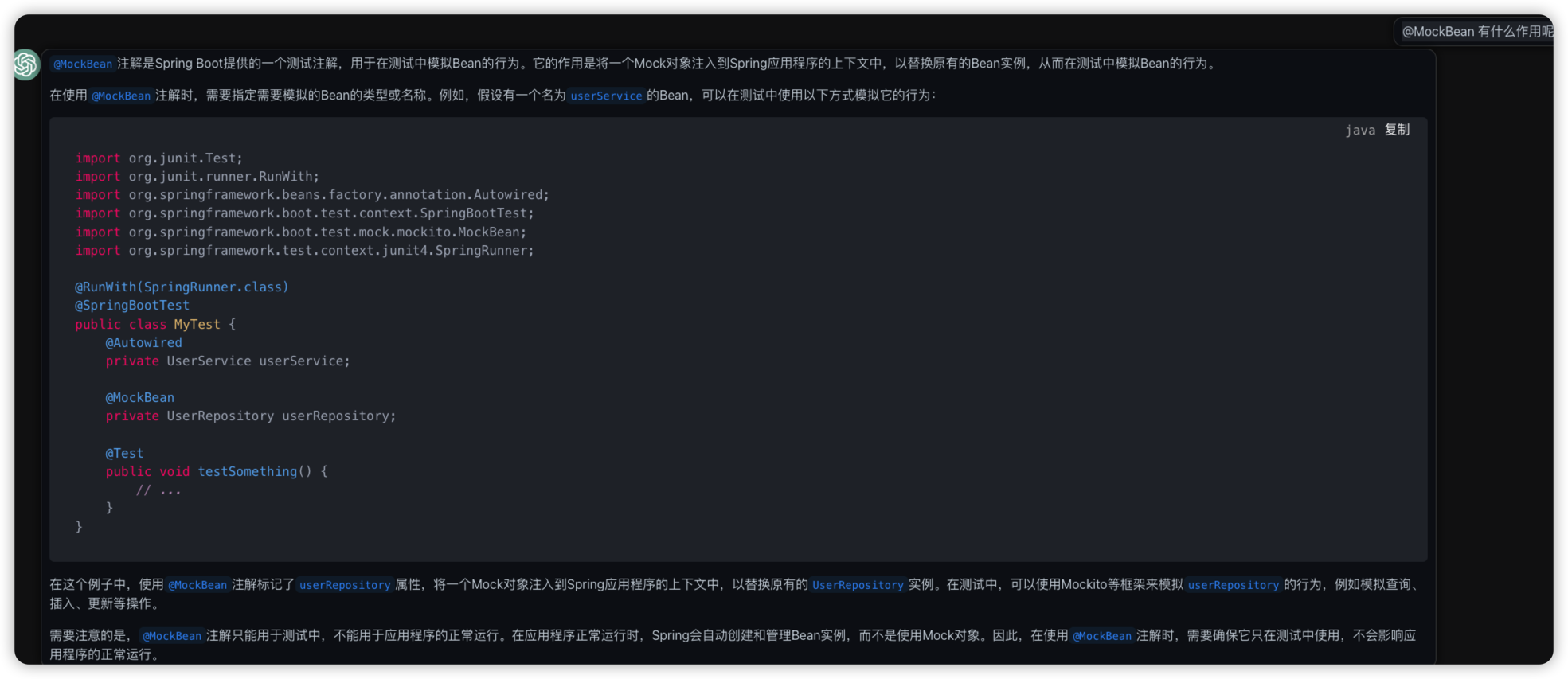
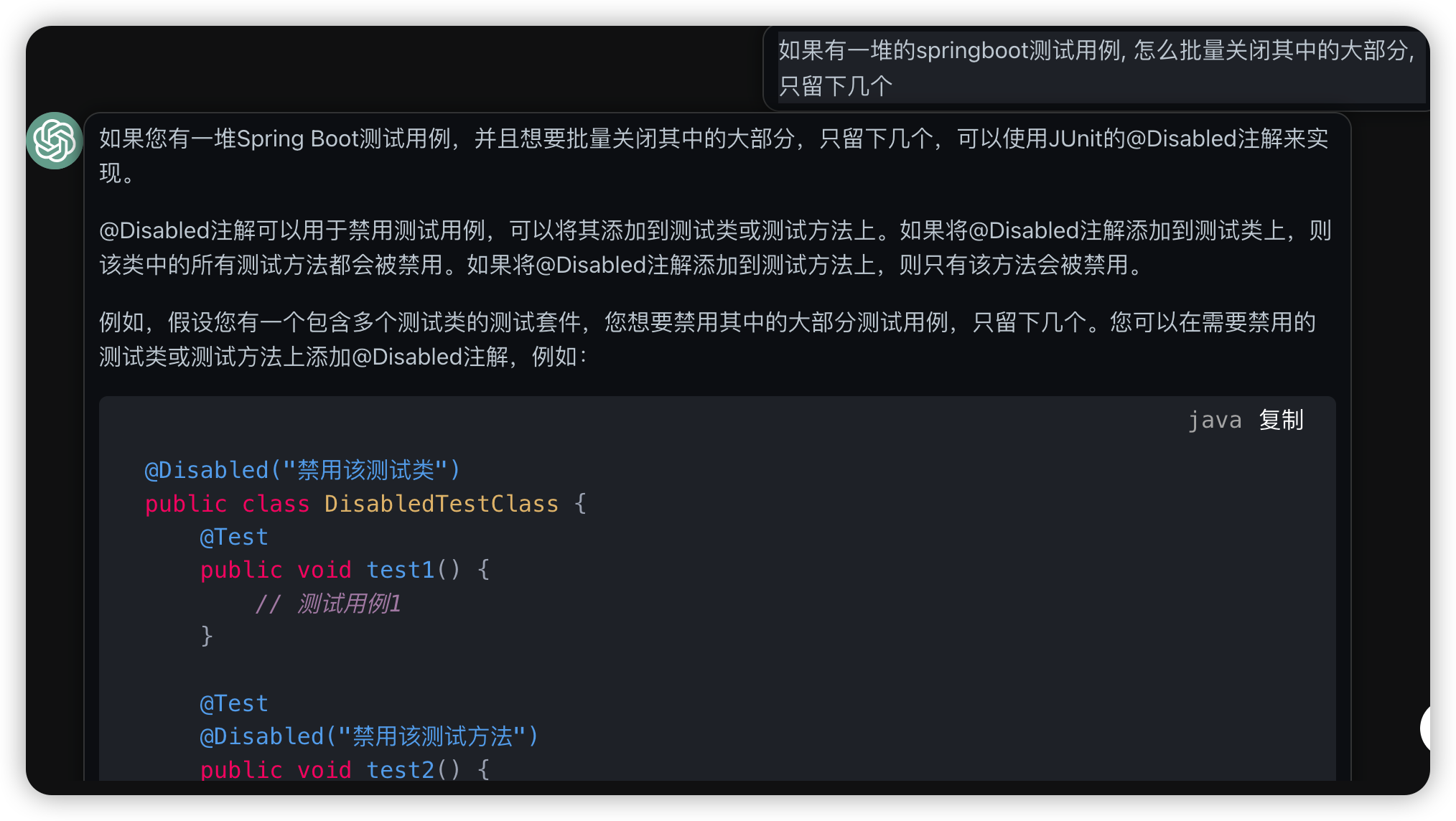
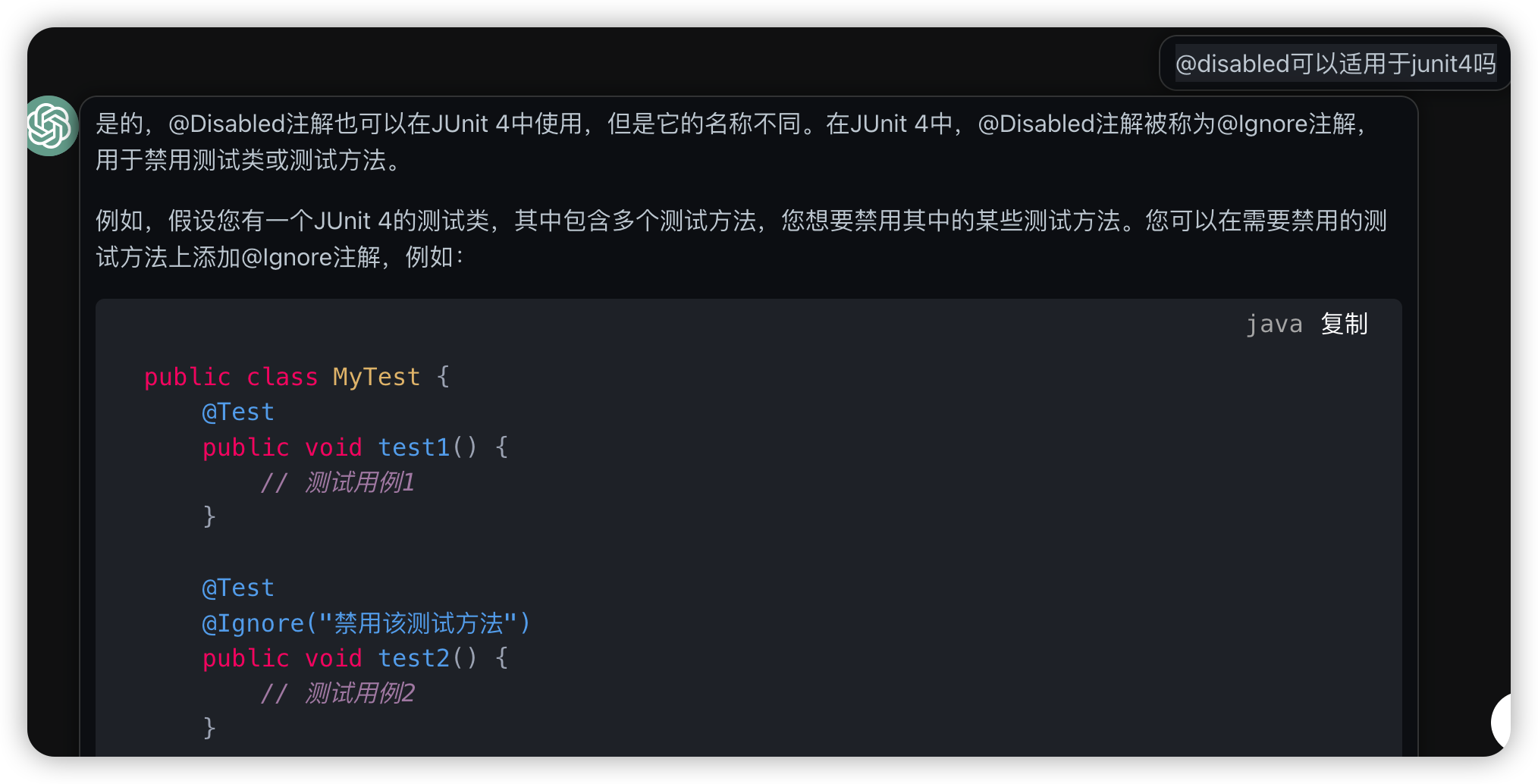
使用@Disabled和@Ignored可以禁用test
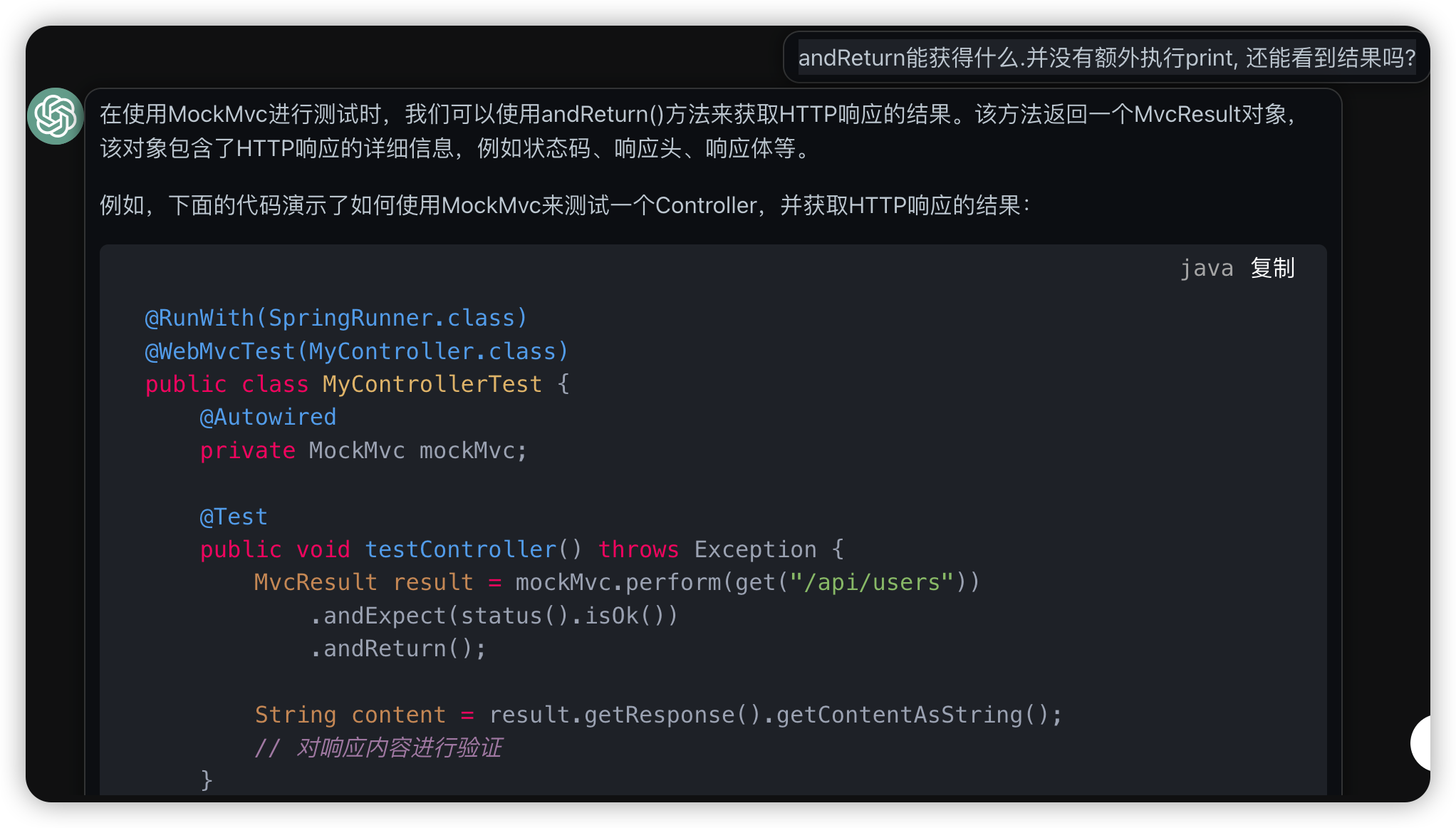
mockMvc的andReturn可以被继续操作
spingboottest的时候临时配置规避nacos
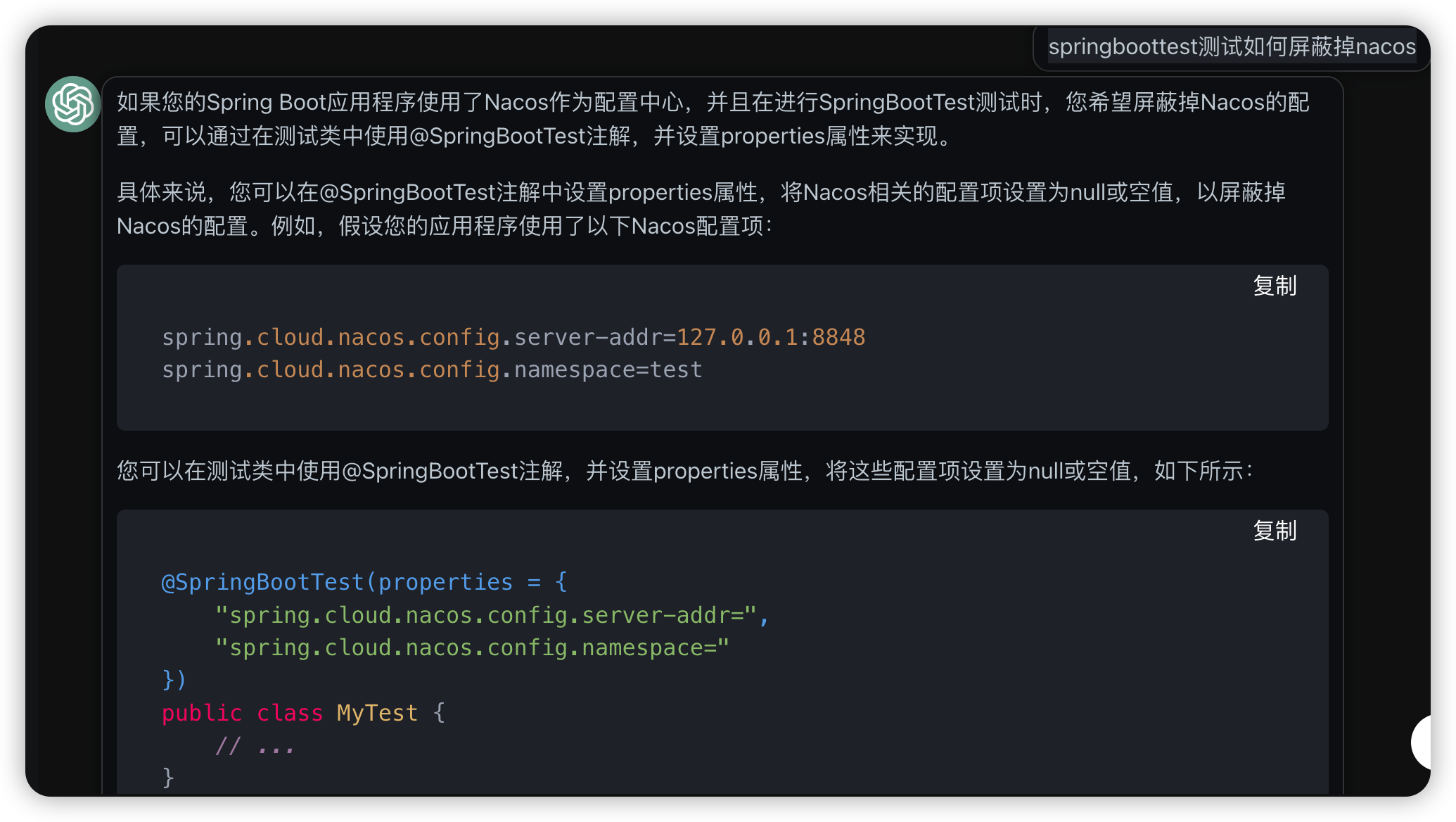
最后还是在application.properties里额外配置了参数
spring.cloud.consul.enabled=false
@ActiveProfiles选择某个具体的配置
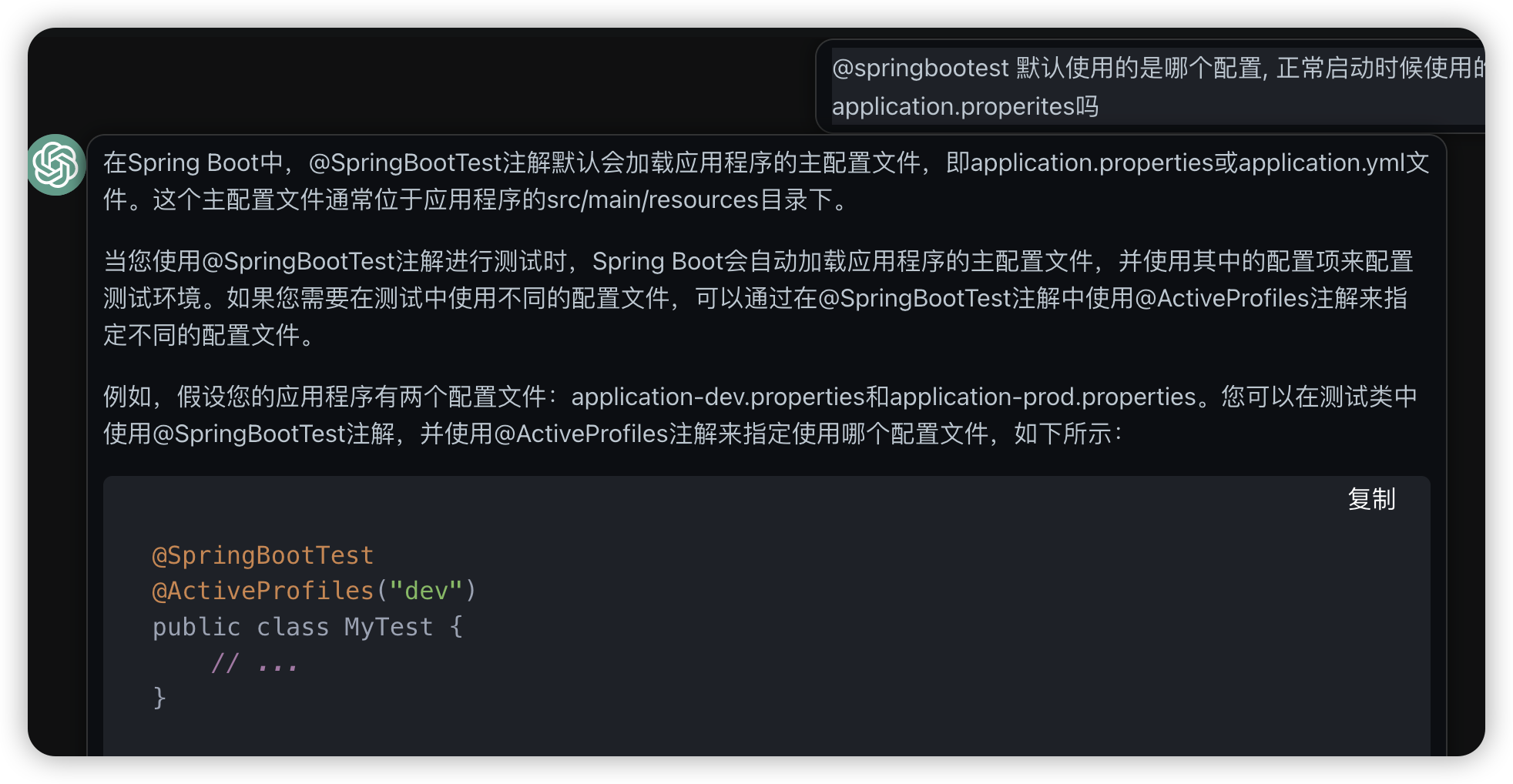
如何测试依赖大数据的上层web应用
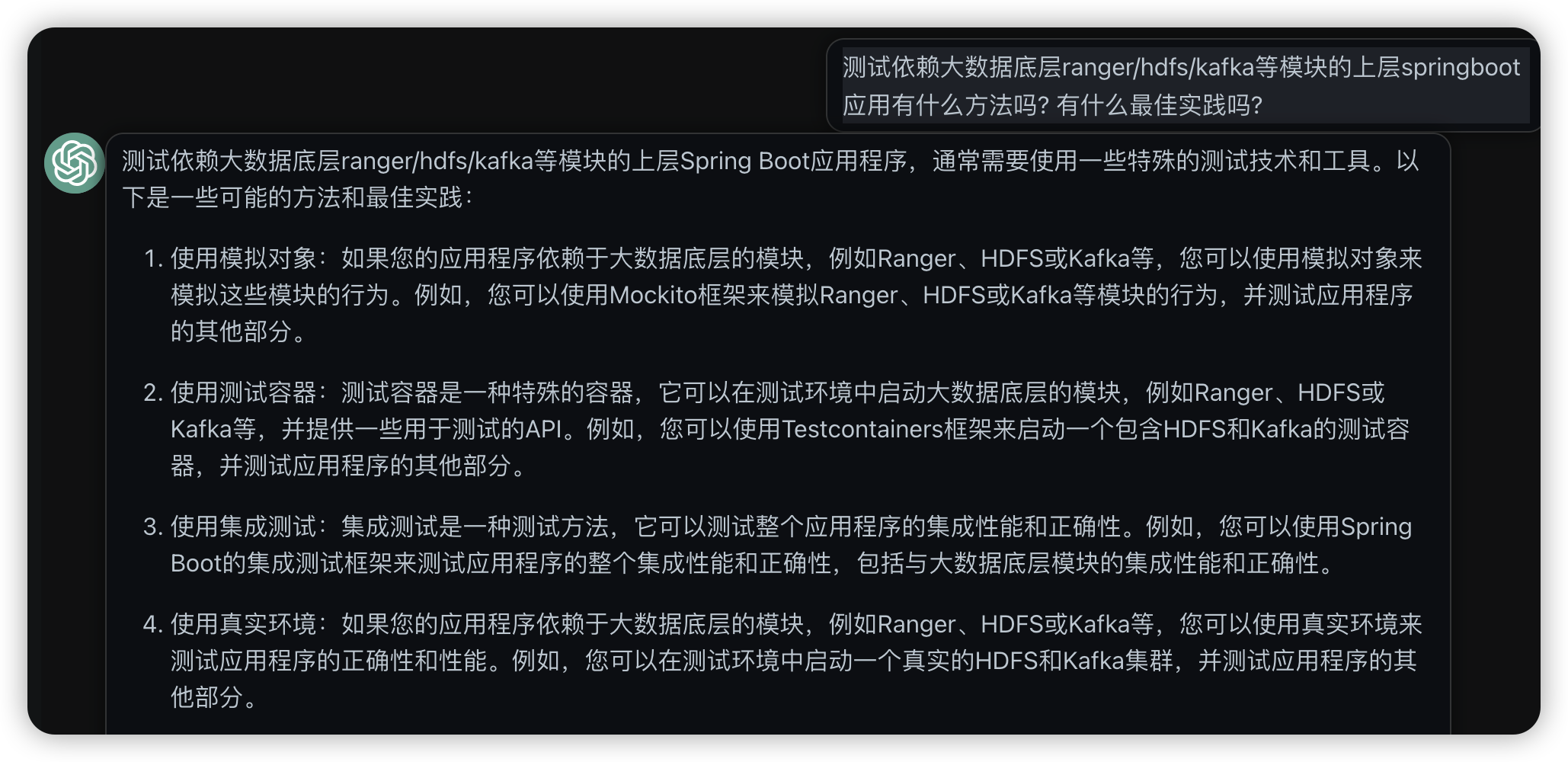
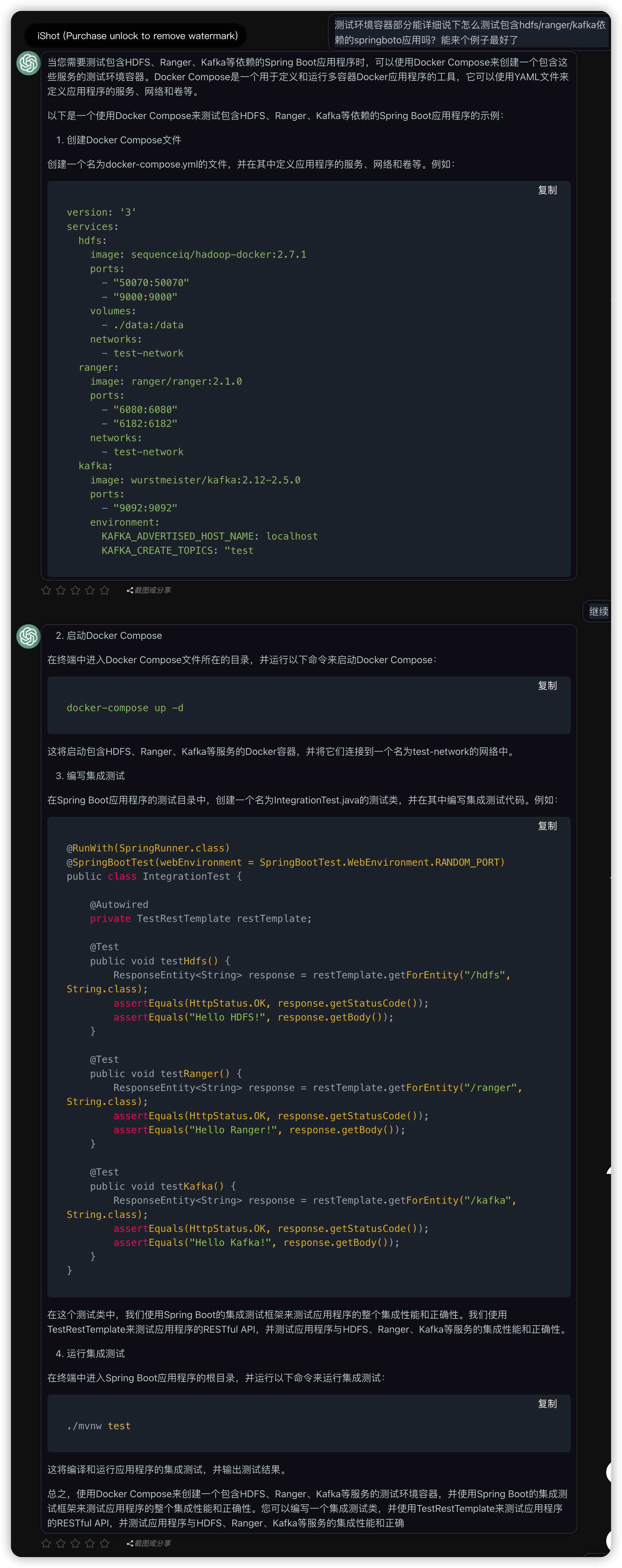
直接使用docker container构建测试依赖环境
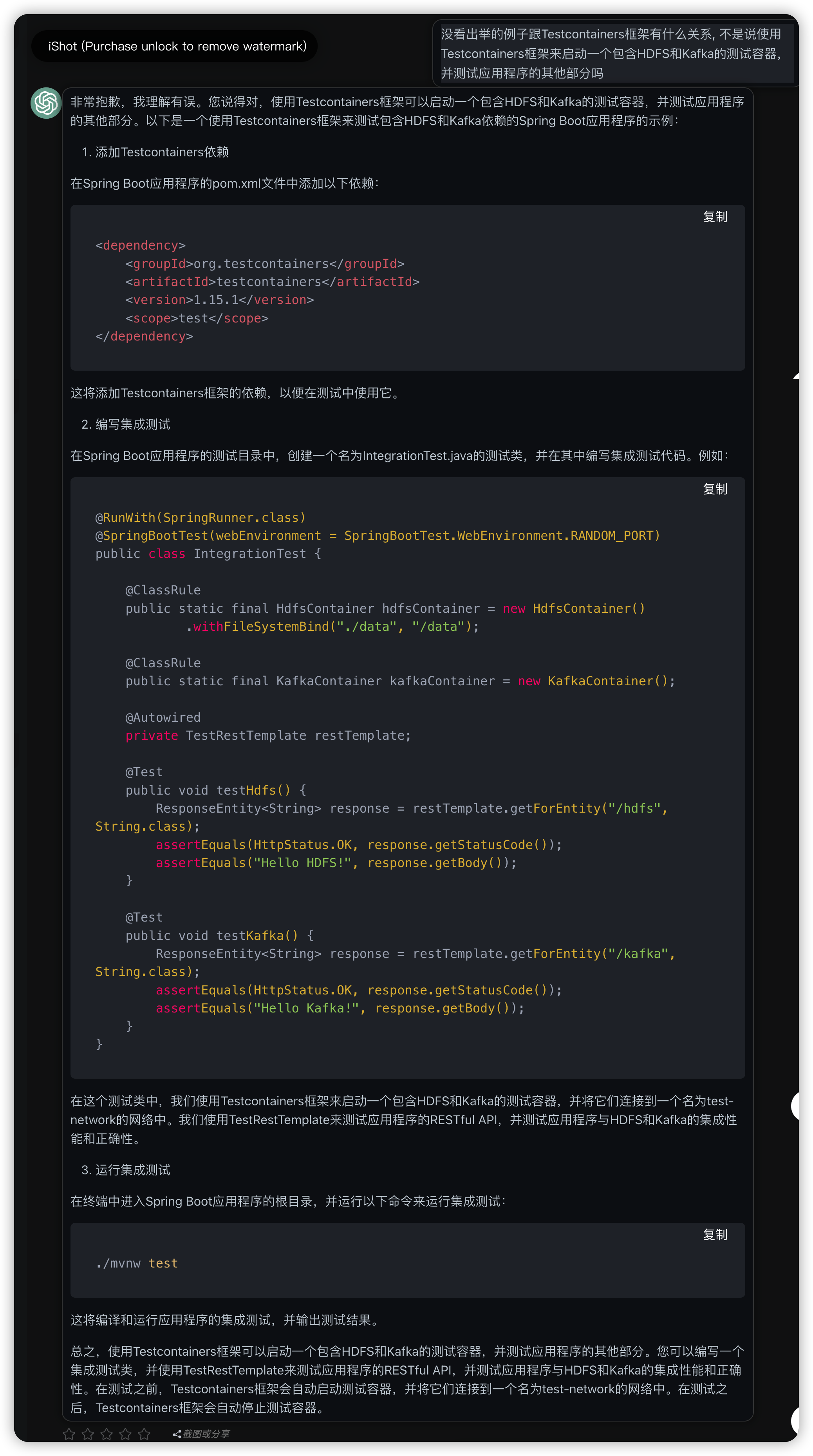
使用Testcontainers, 代码里直接启动依赖的container
编写ranger的docker-compose文件, 然后在java测试里直接启动, 没想到还能这么玩. 不过不知道chatgpt给的这个配置是否有什么bug.
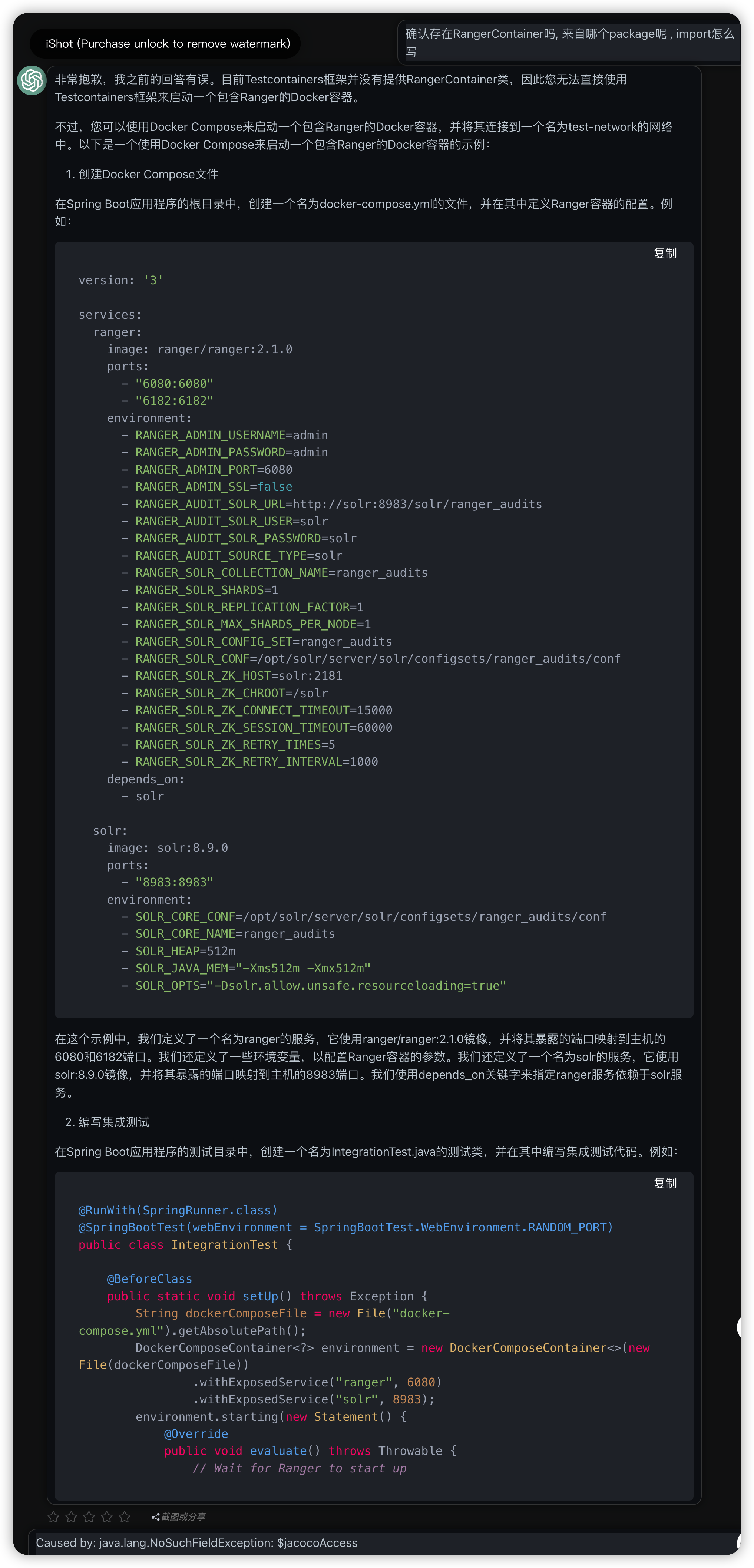
version: '3'

services:
  ranger:
    image: ranger/ranger:2.1.0
    ports:
      - "6080:6080"
      - "6182:6182"
    environment:
      - RANGER_ADMIN_USERNAME=admin
      - RANGER_ADMIN_PASSWORD=admin
      - RANGER_ADMIN_PORT=6080
      - RANGER_ADMIN_SSL=false
      - RANGER_AUDIT_SOLR_URL=http://solr:8983/solr/ranger_audits
      - RANGER_AUDIT_SOLR_USER=solr
      - RANGER_AUDIT_SOLR_PASSWORD=solr
      - RANGER_AUDIT_SOURCE_TYPE=solr
      - RANGER_SOLR_COLLECTION_NAME=ranger_audits
      - RANGER_SOLR_SHARDS=1
      - RANGER_SOLR_REPLICATION_FACTOR=1
      - RANGER_SOLR_MAX_SHARDS_PER_NODE=1
      - RANGER_SOLR_CONFIG_SET=ranger_audits
      - RANGER_SOLR_CONF=/opt/solr/server/solr/configsets/ranger_audits/conf
      - RANGER_SOLR_ZK_HOST=solr:2181
      - RANGER_SOLR_ZK_CHROOT=/solr
      - RANGER_SOLR_ZK_CONNECT_TIMEOUT=15000
      - RANGER_SOLR_ZK_SESSION_TIMEOUT=60000
      - RANGER_SOLR_ZK_RETRY_TIMES=5
      - RANGER_SOLR_ZK_RETRY_INTERVAL=1000
    depends_on:
      - solr

  solr:
    image: solr:8.9.0
    ports:
      - "8983:8983"
    environment:
      - SOLR_CORE_CONF=/opt/solr/server/solr/configsets/ranger_audits/conf
      - SOLR_CORE_NAME=ranger_audits
      - SOLR_HEAP=512m
      - SOLR_JAVA_MEM="-Xms512m -Xmx512m"
      - SOLR_OPTS="-Dsolr.allow.unsafe.resourceloading=true"
@RunWith(SpringRunner.class)
@SpringBootTest(webEnvironment = SpringBootTest.WebEnvironment.RANDOM_PORT)
public class IntegrationTest {

    @BeforeClass
    public static void setUp() throws Exception {
        String dockerComposeFile = new File("docker-compose.yml").getAbsolutePath();
        DockerComposeContainer<?> environment = new DockerComposeContainer<>(new File(dockerComposeFile))
                .withExposedService("ranger", 6080)
                .withExposedService("solr", 8983);
        environment.starting(new Statement() {
            @Override
            public void evaluate() throws Throwable {
                // Wait for Ranger to start up
junit jupyter的作用
junit vintage作用
maven surefire 插件原来是官方默认的junit测试插件
以前看到这个插件, 还以为是什么莫名奇妙的东西.
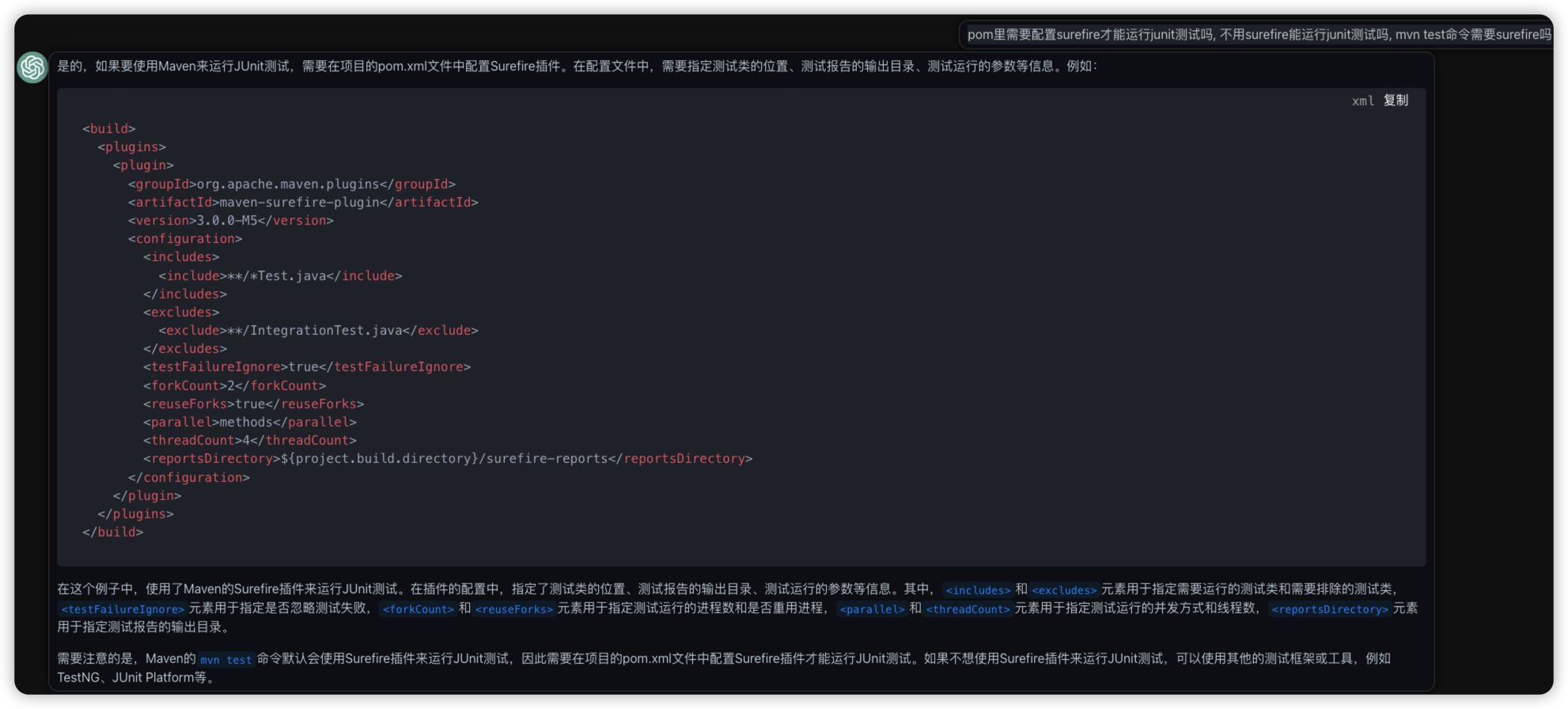
支持各种额外的配置
<build>
  <plugins>
    <plugin>
      <groupId>org.apache.maven.plugins</groupId>
      <artifactId>maven-surefire-plugin</artifactId>
      <version>3.0.0-M5</version>
      <configuration>
        <includes>
          <include>**/*Test.java</include>
        </includes>
        <excludes>
          <exclude>**/IntegrationTest.java</exclude>
        </excludes>
        <testFailureIgnore>true</testFailureIgnore>
        <forkCount>2</forkCount>
        <reuseForks>true</reuseForks>
        <parallel>methods</parallel>
        <threadCount>4</threadCount>
        <reportsDirectory>${project.build.directory}/surefire-reports</reportsDirectory>
      </configuration>
    </plugin>
  </plugins>
</build>
<plugin>
    <groupId>org.apache.maven.plugins</groupId>
    <artifactId>maven-surefire-plugin</artifactId>
    <version>2.19.1</version>
</plugin>
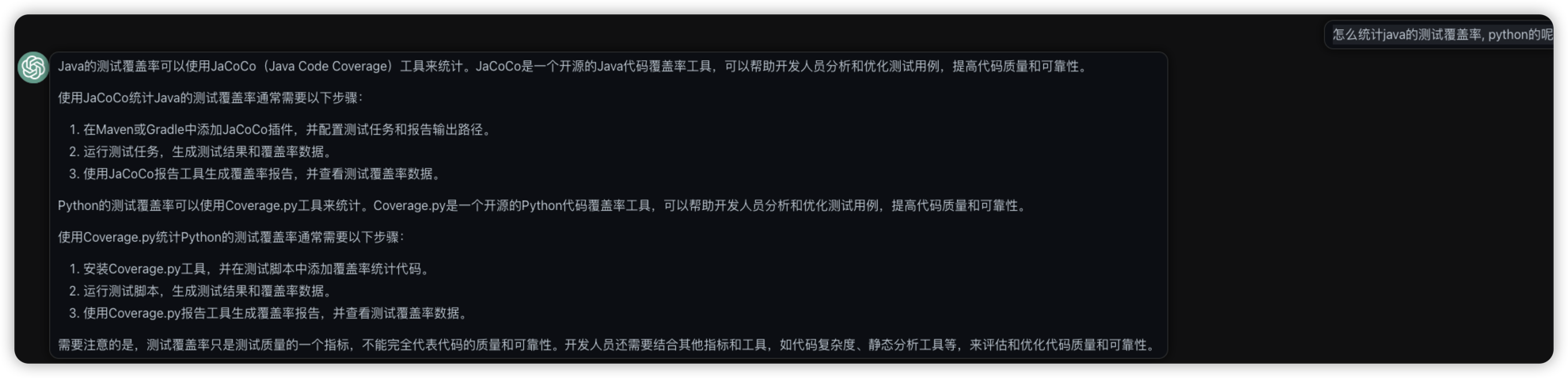
JaCoCo统计测试覆盖率
bugs
找不到 SpringbootApplication
java.lang.IllegalStateException: Unable to find a @SpringBootConfiguration, you need to use @ContextConfiguration or @SpringBootTest(classes=...) with your test
原因是当前在子module里测试, 子module里找不到主应用.
@SpringBootTest
@RunWith(SpringRunner.class)
public class AuthenticationControllerTest {


    @Autowired
    WebApplicationContext webApplicationContext;
    private MockMvc mvc;
    private MockHttpSession session;

    @Before
    public void setupMockMvc() {
        mvc = MockMvcBuilders.webAppContextSetup(webApplicationContext).build(); //初始化MockMvc对象
        session = new MockHttpSession();
    }