ES Readonly 只读索引
java 接收kafka消息后, 写入 es index, 但是后台写入日志里存在报错
org.elasticsearch.ElasticsearchStatusException: Elasticsearch exception [type=illegal_argument_exception, reason=no write index is defined for alias [ds-audit-operation-log]. The write index may be explicitly disabled using is_write_index=false or the alias points to multiple indices without one being designated as a write index]
chatgpt的建议, 但是我还是关注在以前了解到的index.blocks.write属性上.
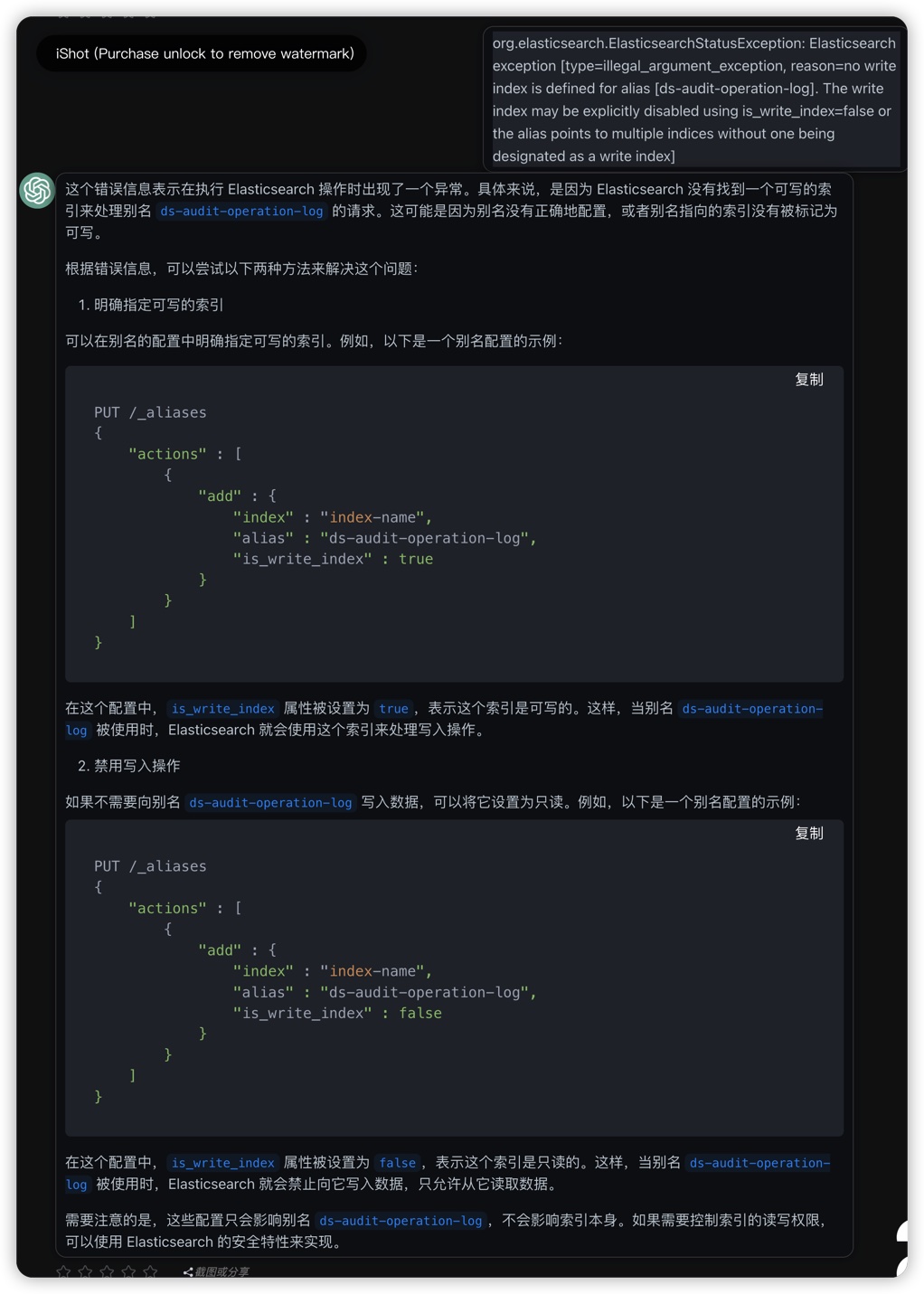
设置某个 index 的只读或可写
检查 index 的情况, 发现这是一个别名索引, 有两个index. 每个index都有属性"blocks":{"write":"true"}, 看起来应该是可写才对. 但是反复咨询chatgpt, 都表示这代表着只读, 这种情况真的没法相信chatgpt, 只能搜搜overflow和es的官方文档.
 curl es.domain.com:15009/ds-audit-operation-log --user username:password


{"ds-audit-operation-log-new":{"aliases":{"ds-audit-operation-log":{}},"mappings":{"properties":{"ClusterId":{"type":"keyword"},"Details":{"type":"text"},"ModuleName":{"type":"keyword"},"OperationObject":{"type":"keyword"},"OperationStatus":{"type":"keyword"},"OperationTime":{"type":"date","format":"yyyy-MM-dd HH:mm:ss"},"OperationType":{"type":"keyword"},"OperationUserId":{"type":"keyword"},"OperationUserName":{"type":"keyword"},"ProjectId":{"type":"keyword","null_value":"NULL"},"TenantId":{"type":"keyword"}}},"settings":{"index":{"routing":{"allocation":{"initial_recovery":{"_id":null}}},"number_of_shards":"3","routing_partition_size":"1","blocks":{"write":"true"},"provided_name":"ds-audit-operation-log-new","resize":{"source":{"name":"ds-audit-operation-log-v1","uuid":"QLI_PvPMTV2cQ9dYAtWarA"}},"creation_date":"1685959956508","number_of_replicas":"1","uuid":"K9ier23nT-6K1hdJb-U7Zw","version":{"created":"7100299","upgraded":"7100299"}}}},"ds-audit-operation-log-v1":{"aliases":{"ds-audit-operation-log":{}},"mappings":{"properties":{"ClusterId":{"type":"keyword"},"Details":{"type":"text"},"ModuleName":{"type":"keyword"},"OperationObject":{"type":"keyword"},"OperationStatus":{"type":"keyword"},"OperationTime":{"type":"date","format":"yyyy-MM-dd HH:mm:ss"},"OperationType":{"type":"keyword"},"OperationUserId":{"type":"keyword"},"OperationUserName":{"type":"keyword"},"ProjectId":{"type":"keyword","null_value":"NULL"},"TenantId":{"type":"keyword"}}},"settings":{"index":{"number_of_shards":"1","blocks":{"write":"true"},"provided_name":"ds-audit-operation-log-v1","creation_date":"1685951502497","number_of_replicas":"2","uuid":"QLI_PvPMTV2cQ9dYAtWarA","version":{"created":"7100299"}}}}}
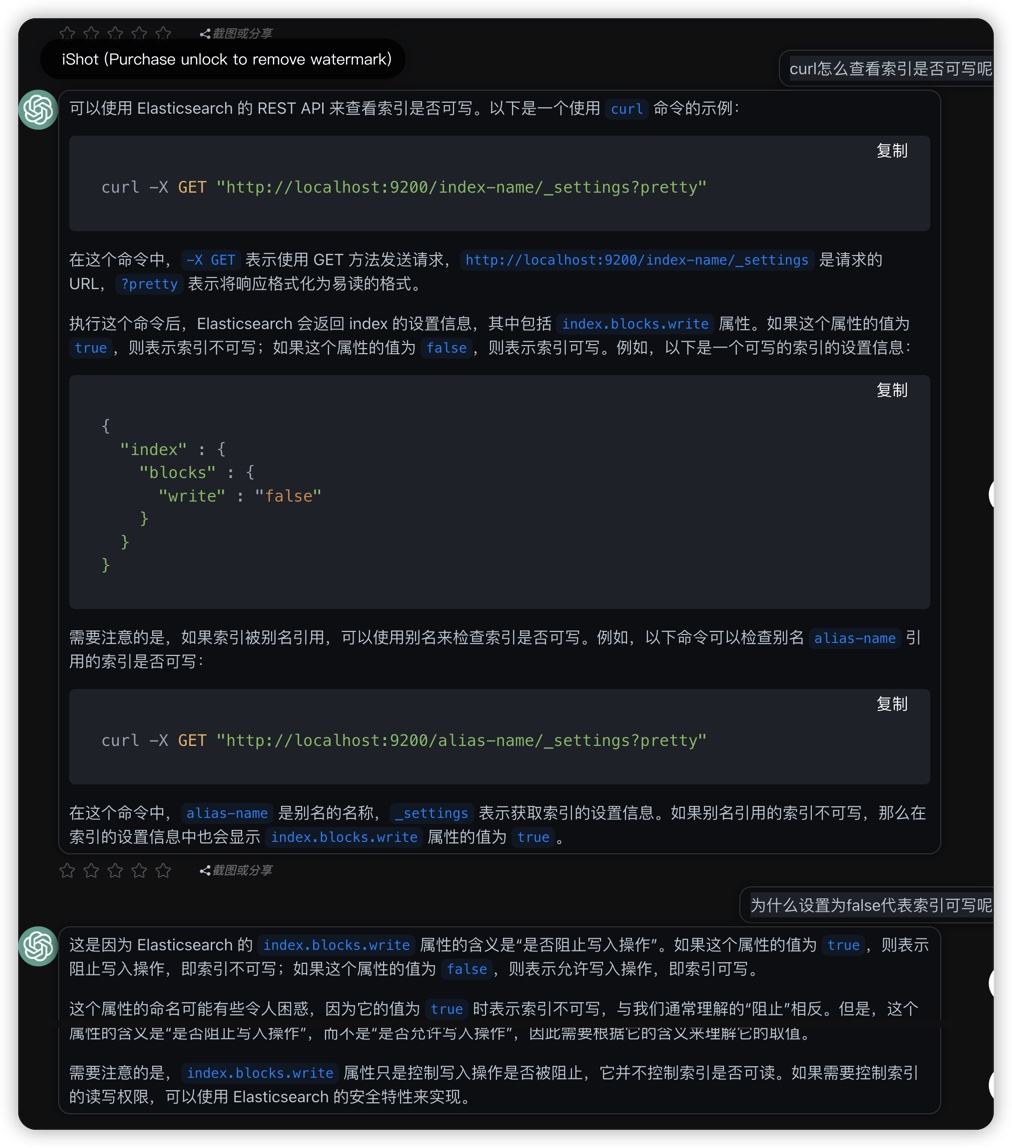
咨询chatgpt关于 blocks.write
注意, 这里chatgpt的说法确实是对的.
es 官方文档关于 blocks.write
blocks属性,就是用来限制es index的操作的, 这里的blocks确实代表阻止block的意思, 而不是命令块block的意思.
Index block settings
https://www.elastic.co/guide/en/elasticsearch/reference/current/index-modules-blocks.html
Index blocks limit the kind of operations that are available on a certain index. The blocks come in different flavours, allowing to block write, read, or metadata operations. The blocks can be set / removed using dynamic index settings, or can be added using a dedicated API, which also ensures for write blocks that, once successfully returning to the user, all shards of the index are properly accounting for the block, for example that all in-flight writes to an index have been completed after adding the write block.
The following dynamic index settings determine the blocks present on an index:
- index.blocks.read_only
Set to true to make the index and index metadata read only, false to allow writes and metadata changes.
- index.blocks.read_only_allow_delete
Similar to index.blocks.write, but also allows deleting the index to make more resources available. The disk-based shard allocator may add and remove this block automatically.
- index.blocks.read
Set to true to disable read operations against the index.
- index.blocks.write
Set to true to disable data write operations against the index. Unlike read_only, this setting does not affect metadata. For instance, you can adjust the settings of an index with a write block, but you cannot adjust the settings of an index with a read_only block.
- index.blocks.metadata
Set to true to disable index metadata reads and writes.
修改 es index为可写
curl -L -X PUT 'es.domain.com:15009/ds-audit-operation-log-v1/_settings' -H 'Content-Type: application/json' --user username:password -d '{
    "index": {
      "blocks": {
         "read_only": "false",
        "write": false
      }}
    }'


{"acknowledged":true}
这里参考了stackoverflow的说法, 同时设置了readonly和write为false, 把某个index设置为可写.
https://stackoverflow.com/a/40720923/6333140
While setting the index to read_only to true internally ES changes the write to true as well and just reverting read_only to false still does not allow you to update the index so you have to update write setting explicitly.
chagpt的操作指引
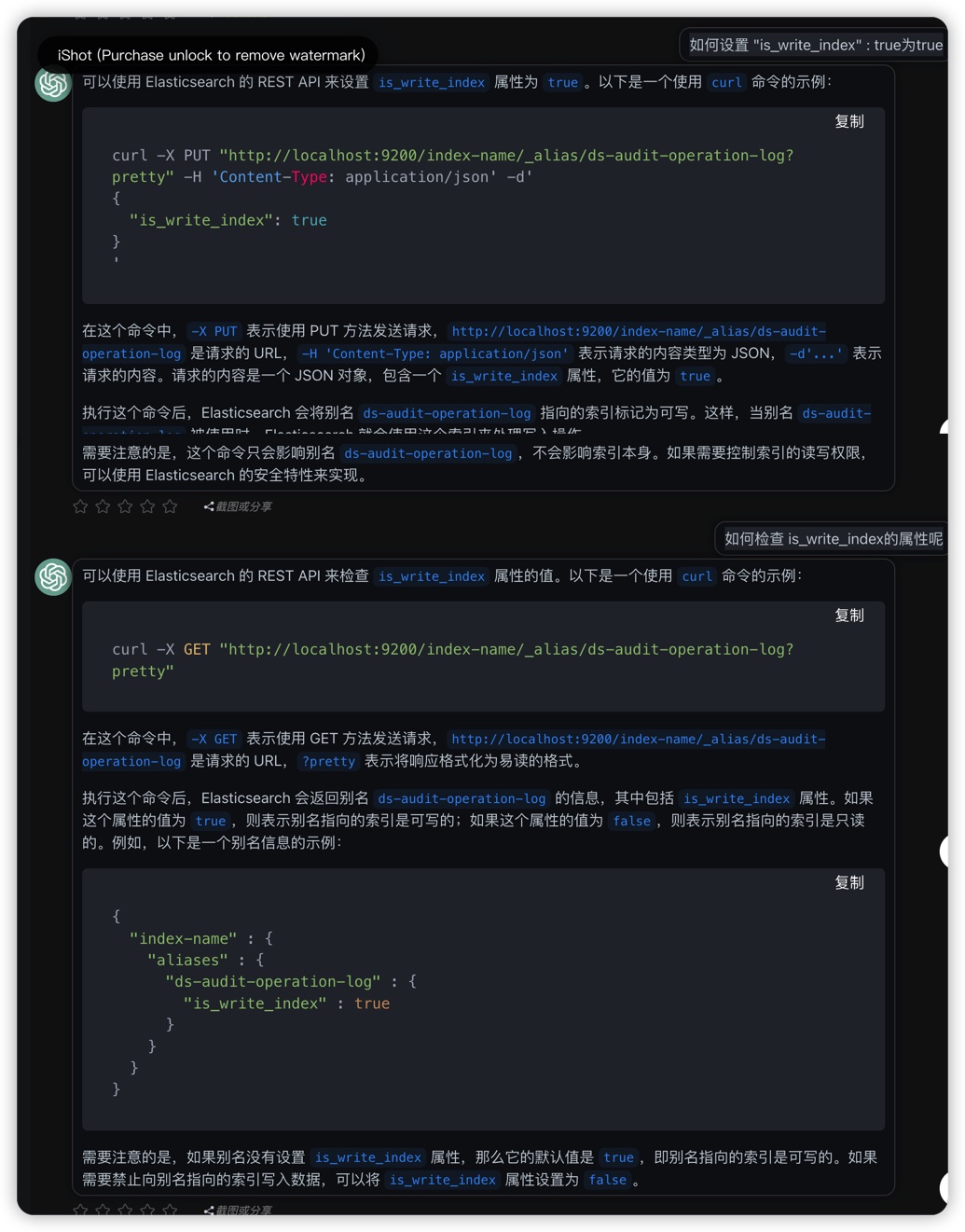
多条indx指向同一个index导致默认不可写入
alias index背后的两个index都设置了可写, 仍然无法写入数据, 依然是最开始的报错.
这时候再去咨询chatgpt, 发现报错信息确实指出了原因, 除了readonly, 另一个原因就是the alias points to multiple indices without one being designated as a write index.
- 检查别名索引的情况
curl -X GET "es.domain.com:15009/_alias/ds-audit-operation-log?pretty" -H 'Content-Type: application/json' --user username:password
{
  "ds-audit-operation-log-new" : {
    "aliases" : {
      "ds-audit-operation-log" : { }
    }
  },
  "ds-audit-operation-log-v1" : {
    "aliases" : {
      "ds-audit-operation-log" : { }
    }
  }
}
- 设置其中的某一条索引为可写
curl -X PUT "es.domain.com:15009/ds-audit-operation-log-v1/_alias/ds-audit-operation-log?pretty" -H 'Content-Type: application/json' --user username:password  -d'
 {
   "is_write_index": true
 }'


{
  "acknowledged" : true
}
- 再次查看别名索引情况
curl -X GET "es.domain.com:15009/_alias/ds-audit-operation-log?pretty" -H 'Content-Type: application/json' --user username:password


{
  "ds-audit-operation-log-new" : {
    "aliases" : {
      "ds-audit-operation-log" : { }
    }
  },
  "ds-audit-operation-log-v1" : {
    "aliases" : {
      "ds-audit-operation-log" : {
        "is_write_index" : true
      }
    }
  }
}
这时候java程序已经可以正常写入es中, 问题解决.
为什么出现了一个alias index背后有两条index
其实一开始是只设置了一个index, 但是后来想要调整index的shard和replica参数, 参考chatgpt的说明, 修改后就出现两条index了...
所以如果没有看完整的文档, 只咨询chatgpt, 有可能会掉到坑里去.
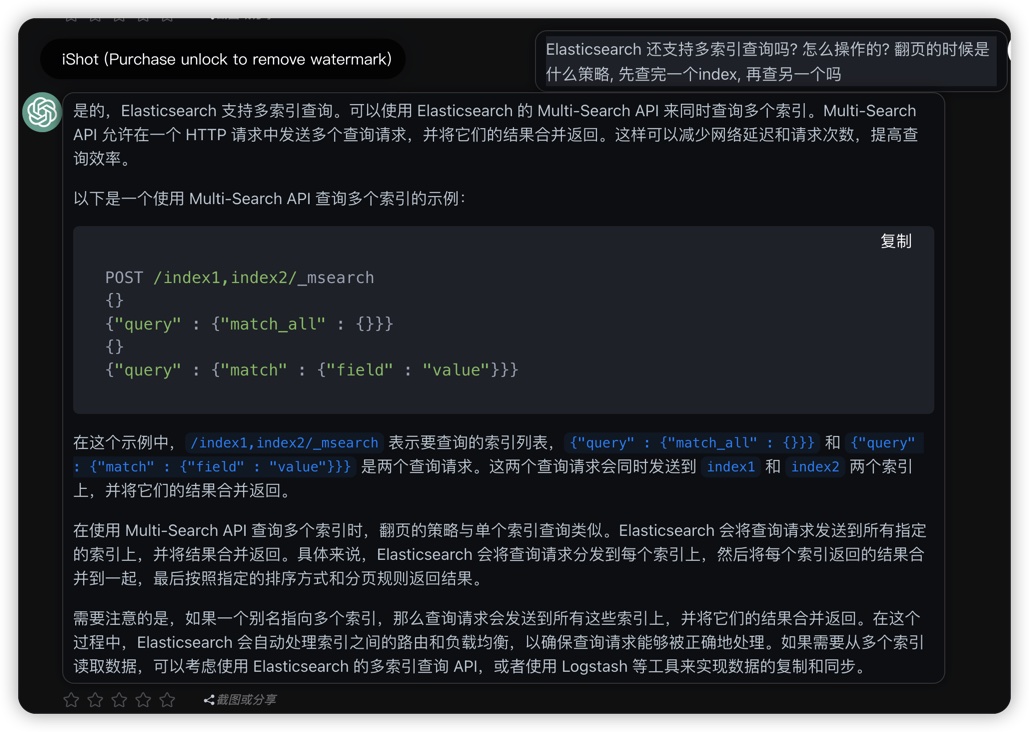
es 支持多index
按chatgpt的说法, 其实还支持设置一个alias index背后同时多条index进行写入和查询.
不过这就没有去测试了.
chatgpt 解读 index
{
  "ds-audit-operation-log-new": {
    "aliases": {
      "ds-audit-operation-log": {}
    },
    "mappings": {
      "properties": {
        "ClusterId": {
          "type": "keyword"
        },
        "Details": {
          "type": "text"
        },
        "ModuleName": {
          "type": "keyword"
        },
        "OperationObject": {
          "type": "keyword"
        },
        "OperationStatus": {
          "type": "keyword"
        },
        "OperationTime": {
          "type": "date",
          "format": "yyyy-MM-dd HH:mm:ss"
        },
        "OperationType": {
          "type": "keyword"
        },
        "OperationUserId": {
          "type": "keyword"
        },
        "OperationUserName": {
          "type": "keyword"
        },
        "ProjectId": {
          "type": "keyword",
          "null_value": "NULL"
        },
        "TenantId": {
          "type": "keyword"
        }
      }
    },
    "settings": {
      "index": {
        "routing": {
          "allocation": {
            "initial_recovery": {
              "_id": null
            }
          }
        },
        "number_of_shards": "3",
        "routing_partition_size": "1",
        "blocks": {
          "read_only": "false",
          "write": "false"
        },
        "provided_name": "ds-audit-operation-log-new",
        "resize": {
          "source": {
            "name": "ds-audit-operation-log-v1",
            "uuid": "QLI_PvPMTV2cQ9dYAtWarA"
          }
        },
        "creation_date": "1685959956508",
        "number_of_replicas": "1",
        "uuid": "K9ier23nT-6K1hdJb-U7Zw",
        "version": {
          "created": "7100299",
          "upgraded": "7100299"
        }
      }
    }
  },
  "ds-audit-operation-log-v1": {
    "aliases": {
      "ds-audit-operation-log": {}
    },
    "mappings": {
      "properties": {
        "ClusterId": {
          "type": "keyword"
        },
        "Details": {
          "type": "text"
        },
        "ModuleName": {
          "type": "keyword"
        },
        "OperationObject": {
          "type": "keyword"
        },
        "OperationStatus": {
          "type": "keyword"
        },
        "OperationTime": {
          "type": "date",
          "format": "yyyy-MM-dd HH:mm:ss"
        },
        "OperationType": {
          "type": "keyword"
        },
        "OperationUserId": {
          "type": "keyword"
        },
        "OperationUserName": {
          "type": "keyword"
        },
        "ProjectId": {
          "type": "keyword",
          "null_value": "NULL"
        },
        "TenantId": {
          "type": "keyword"
        }
      }
    },
    "settings": {
      "index": {
        "number_of_shards": "1",
        "blocks": {
          "read_only": "false",
          "write": "false"
        },
        "provided_name": "ds-audit-operation-log-v1",
        "creation_date": "1685951502497",
        "number_of_replicas": "2",
        "uuid": "QLI_PvPMTV2cQ9dYAtWarA",
        "version": {
          "created": "7100299"
        }
      }
    }
  }
}
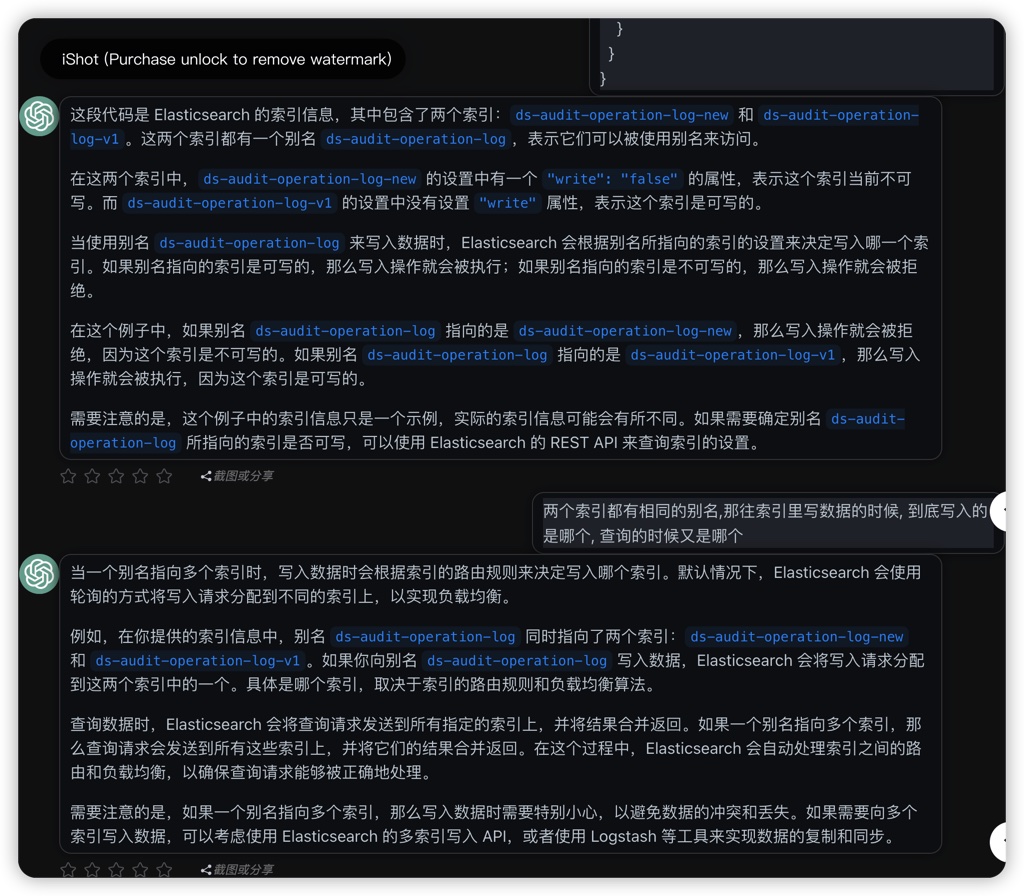
es 支持多索引查询